About Ref Finance exchange
What is Ref Finance?
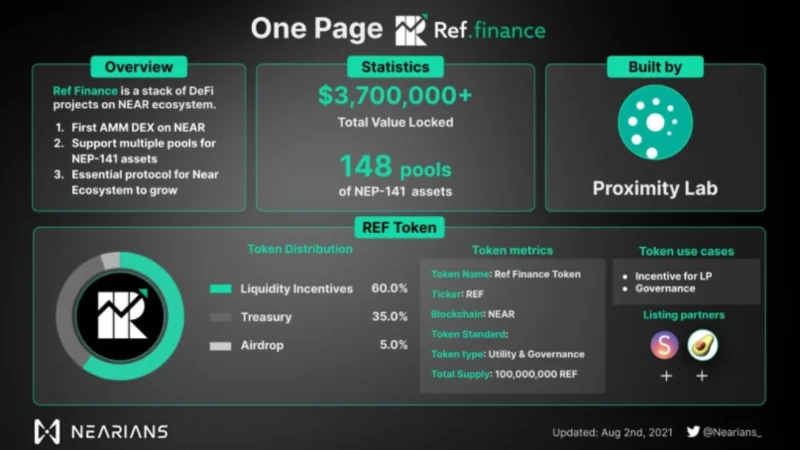
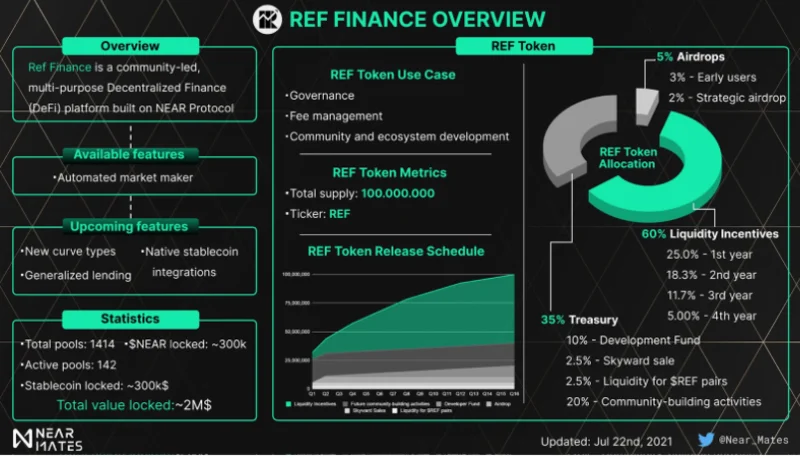
Ref Finance is a decentralized finance (DeFi) platform built on top of the NEAR Protocol . Ref Finance was created with the goal of bringing the components of DeFi including: AMM DEX, Lending protocol, Synthetic Asset and many other features into a single platform.
By building on NEAR Protocol, Ref Finance takes advantage of the advantages of this platform such as: low transaction costs (about $0.005 per swap), transaction processing time from only 1 to 2 second. Therefore, Ref Finance can completely compete with CEX exchanges in terms of transaction processing costs and speed.
When looking at other ecosystems such as Solana , Binance Smart Chain , most DEXs following the AMM model also take on the function of an IDO, IFO platform to help projects issue tokens and call for capital. community. So in the future, Ref Finance can also become an IDO platform on NEAR Protocol.
![What is Ref Finance? The most detailed guide to using Ref Finance]()
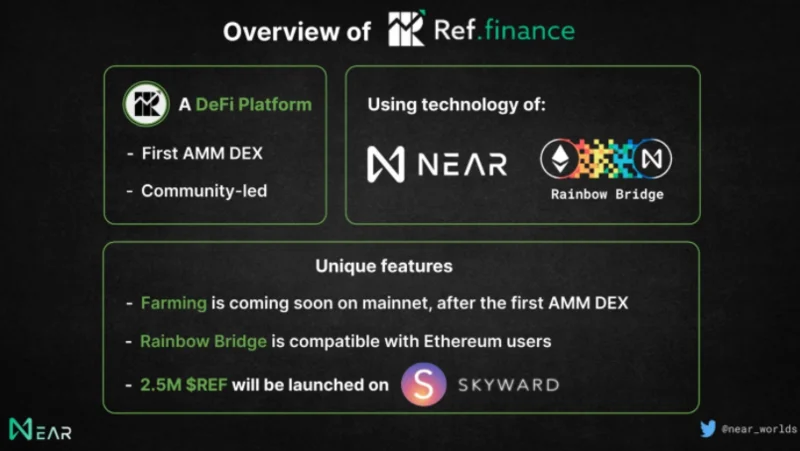
Ref Finance has similarities with Uniswap V2, but the platform still has the following outstanding features:
- A smart contract that manages multiple pools, allowing investors to easily swap any token pairs that Ref Finance supports
- The liquidity provision fee per Pool is customizable. Therefore, liquidity providers may charge higher fees for trading pairs with low liquidity, or trading pairs with high exchange rate volatility.
- Developers can receive commissions for deploying other decentralized finance applications on Ref Finance.
- Ref Finance provides the ability to swap tokens from other platforms through Rainbow Bridge, a bridge between Ethereum and the NEAR Protocol.
Some functions of Ref Finance
Ref Finance uses Rainbow Bridge, allowing investors to easily access cryptocurrencies in any other blockchain such as BSC, Polygon, Cosmos, etc.
Ref Finance is planning to launch DAO on NEAR through Sputnik DAO to develop platform based on community contributions. Ref Finance's DAO will be governed by the REF token. In addition, liquidity providers, developers, and users of Ref Finance can all receive REF tokens.
![What is Ref Finance? The most detailed guide to using Ref Finance]()
Development roadmap
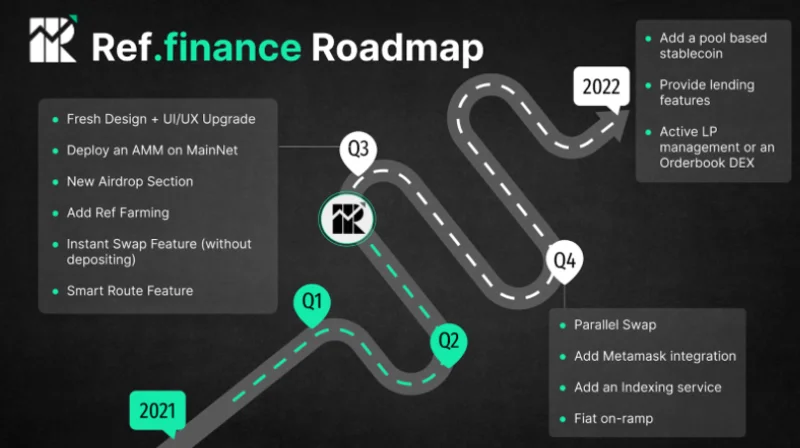
Q3 2021 : Ref Finance will Airdrop to users and launch Ref Farming, Mainnet, Instant Swap and Smart Route functionality.
Q4 2021 : The project will support MetaMask , Fiat on-ramps and put Index on Ref Finance…
2022 : Launching Lending protocol, Orderbook DEX…
![What is Ref Finance? The most detailed guide to using Ref Finance]()
Overview of the REF . token
Some basic information of REF
- Token Name: Ref Finance
- Ticker: REF
- Blockchain: NEAR Protocol
- Token Standard: NEP-141
- Token type: Governance
- Total Supply: 100,000,000
REF . Token Allocation
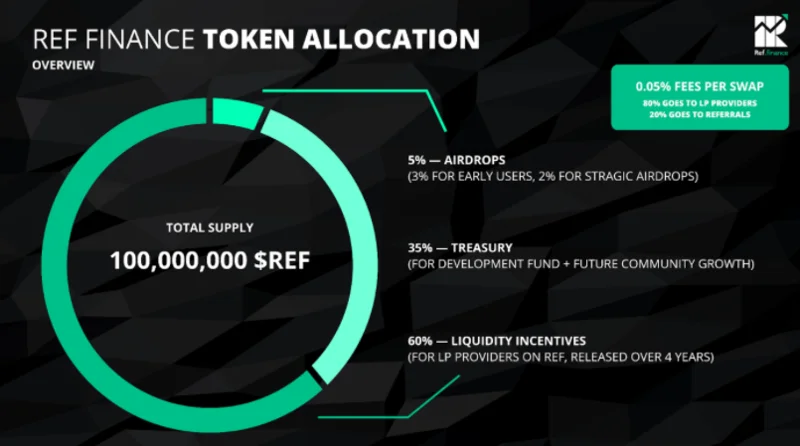
Airdrops : 5%. Of which, 3% is for those who experience Ref Finance early, 2% for the Strategic airdrop and the token lock time is unknown.
Liquidity Incentives : 60%. Of which, 25% will be paid in the first year, 18.3% in the second year, 11.67% in the third year and 5% in the fourth year.
Treasury : 35%. Of which, 10% is for developers, 2.5% will be sold on Skyward Finance, 2.5% for REF Liquidity and 20% for other project development activities later.
![What is Ref Finance? The most detailed guide to using Ref Finance]()
Token Utility
REF is the governance token of Ref Finance and has the following functions:
Platform Governance : REF token holders have the right to participate in the governance of the system as well as they can comment on plans to launch the Liquidity Incentives program or spend money on Ref upgrades and development. Finance.
Platform transaction fees : Users can use REF to pay transaction fees on Ref Finance. In which, 0.05% of the transaction fee will be used to divide REF owners or the project to buy back and burn at the discretion of the Ref Finance community.
Ecosystem and protocol development : REF is also used as an incentive reward for participants who contribute to the development of Ref Finance.
![What is Ref Finance? The most detailed guide to using Ref Finance]()
REF storage wallet
Currently, investors can use Near Wallet to store REF tokens or on exchange wallets that support REF transactions such as Gate.io, MEXC...
How to earn and own REF . tokens
REF is currently being traded on Ref Finance and some other exchanges such as Gate.io, MEXC…
In addition, investors can join Ref Finance's Liquidity Mining program. Investors only need to provide liquidity to Ref Finance to receive REF tokens.
Similar projects
Some DEXs following the AMM model similar to Ref Finance can be mentioned as:
Uniswap (UNI) : A decentralized exchange (DEX) developed by Hayden Adams. Investors can use Uniswap to swap, list tokens… without going through any middlemen. Currently, Uniswap has 3 versions and V2 is the most used.
Raydium (RAY) : A first DEX built on Solana's blockchain. Raydium has many similarities with Uniswap V2. However, with Solana's blockchain implementation, Raydium offers users a fast and low-cost trading platform.
PancakeSwap (CAKE) : The first DEX of Binance Smart Chain. Since its launch, PancakeSwap has had very good performance when it is always in the top 3 DEXs with the largest trading volume in the market.
Pangolin (PNG) : A decentralized exchange similar to Uniswap but operating on Avalanche.
Ref Finance User Guide
Connect with NEAR Wallet
Step 1 : Log in to App.ref.finance and select “ Connect to Near ”.
![What is Ref Finance? The most detailed guide to using Ref Finance]()
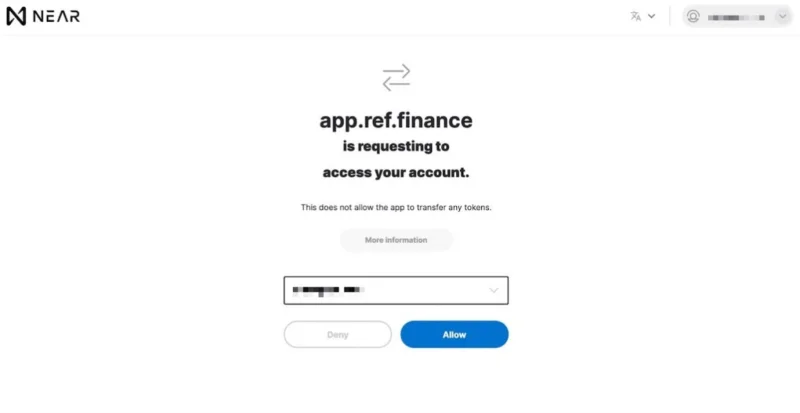
Step 2 : Ref Finance will redirect you to Near Wallet's interface. Here, you select “ Allow ” to continue.
Note : You will not have to pay any costs when connecting Ref Finance and NEAR Wallet.
![What is Ref Finance? The most detailed guide to using Ref Finance]()
How to deposit and withdraw money on Ref Finance
Deposit
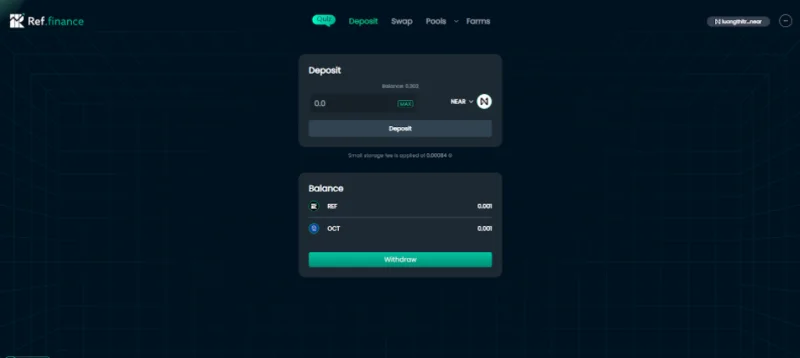
To start swapping or adding liquidity on Ref Finance, you need to deposit NEAR coins or other tokens from NEAR Wallet.
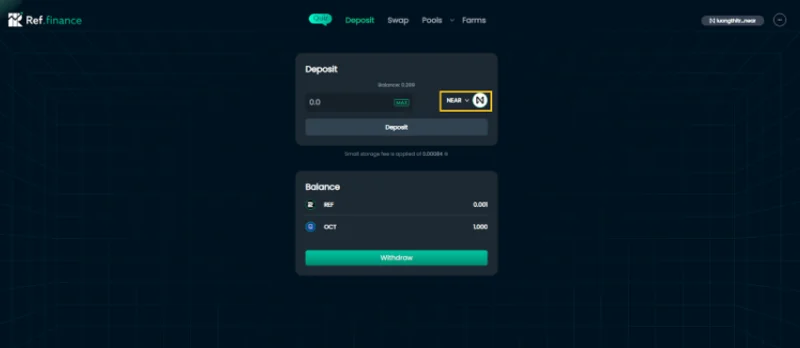
Step 1 : In the interface of Ref Finance, select Deposit. Then in the " Deposit " box, you can change the token you want to deposit by selecting the arrow in the " NEAR " box.
![What is Ref Finance? The most detailed guide to using Ref Finance]()
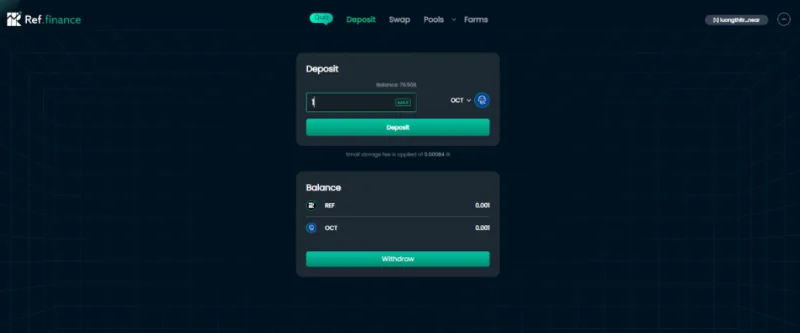
Step 2 : Suppose, in this article is to load OCT into Ref Finance. After selecting the token, enter the number of tokens you want to deposit and click " Deposit ".
Note : The transaction fee will be displayed under the Deposit box, currently each deposit transaction into Ref Finance will cost 0.00084 NEAR.
![What is Ref Finance? The most detailed guide to using Ref Finance]()
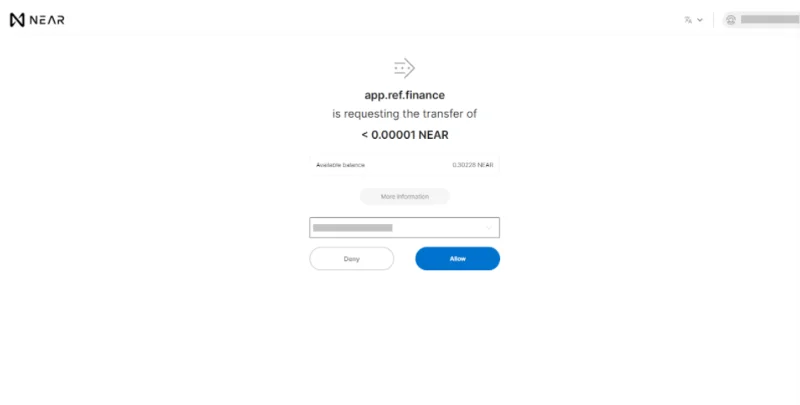
Step 3 : Ref Finance will redirect you to the NEAR Wallet interface. Here, you select “ Allow ” to continue.
![What is Ref Finance? The most detailed guide to using Ref Finance]()
Withdraw
Step 1 : At the Deposit interface, select " Withdraw ".
![What is Ref Finance? The most detailed guide to using Ref Finance]()
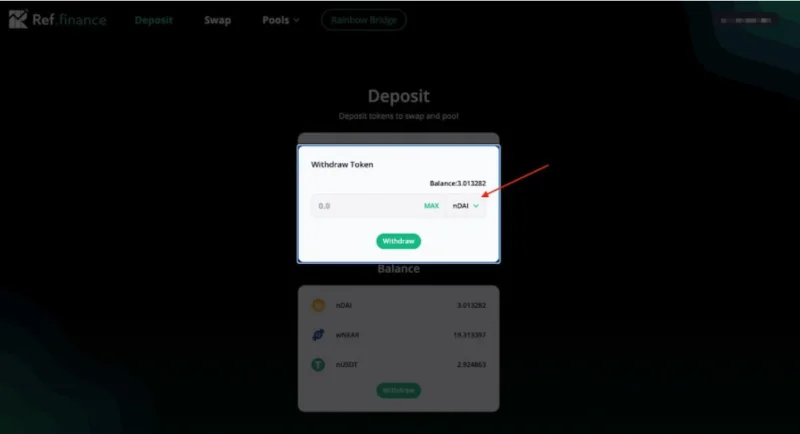
Step 2 : Then, in the " Withdraw Token " box, you can change the token by selecting the arrow in the " nDAI " box and entering the number of tokens you want to withdraw. Next, you choose “ Withdraw ”.
![What is Ref Finance? The most detailed guide to using Ref Finance]()
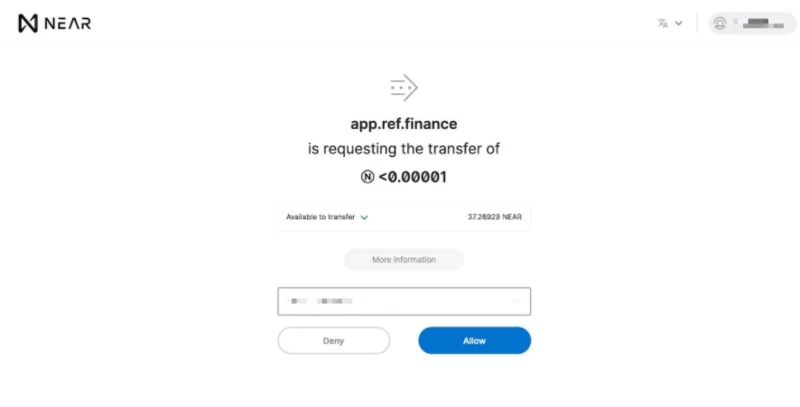
Step 3 : The system will redirect you to the Near Wallet interface. Here, you select “ Allow ” to continue. After the transaction is confirmed successfully, you can check the wallet to see if the token has been received.
![What is Ref Finance? The most detailed guide to using Ref Finance]()
How to Swap Tokens on Ref Finance
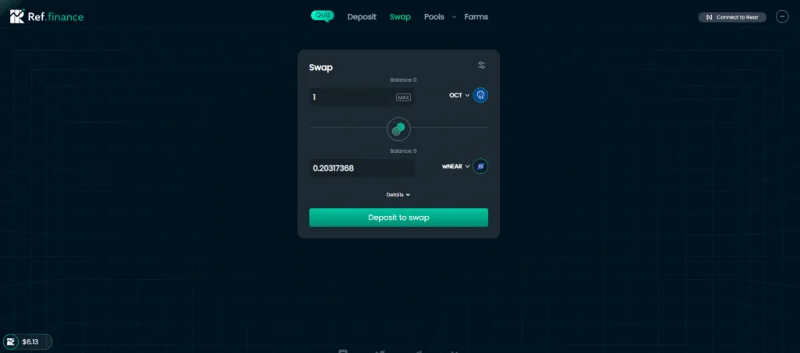
Step 1 : At the interface of Ref Finance, you token in the " Swap " section.
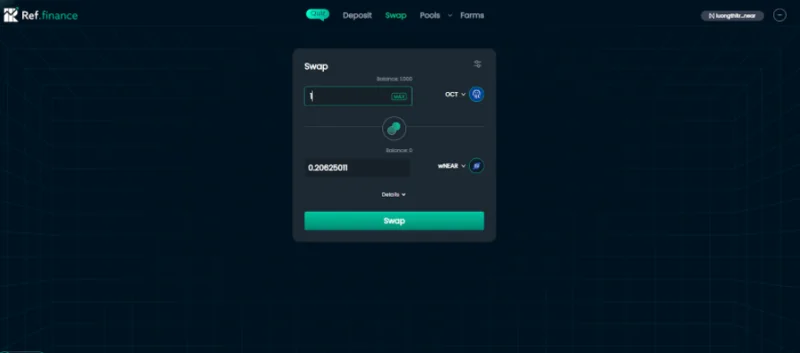
Step 2 : Next, in the " Swap " box, select the token pair you want to swap. Within the framework of this article are OCT and wNEAR. Then, you enter the amount of tokens you want to swap and click “ Swap ”. To view information related to this transaction, select “ Details ”.
![What is Ref Finance? The most detailed guide to using Ref Finance]()
Step 3 : Ref Finance will redirect you to the Near Wallet interface. Here, you select “ Allow ” to continue. Also, You can see more details about the transaction in the “ More Information ” section.
![What is Ref Finance? The most detailed guide to using Ref Finance]()
How to add tokens on Ref Finance
In case there is no token on the Ref Finance Dashboard that you currently own. You can follow these steps to add a new token:
Step 1 : At the Deposit interface, select the arrow in the box " NEAR ".
![What is Ref Finance? The most detailed guide to using Ref Finance]()
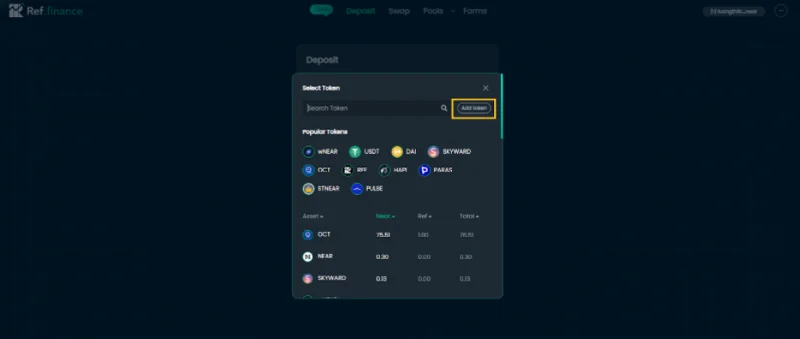
Step 2 : Next, select “ Add token ”.
![What is Ref Finance? The most detailed guide to using Ref Finance]()
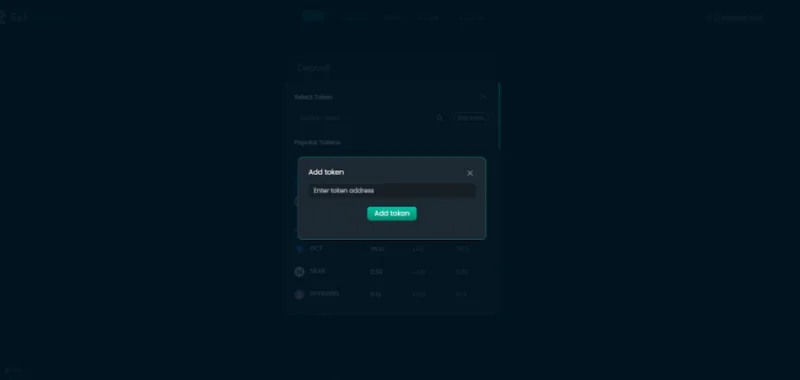
Step 3 : Then, enter the token address you own in the box “ Enter token address ”. If you don't know where to find that address, you can check it on CoinGecko or CoinMarketCap. Then, you select “ Add token ” to complete the process of adding a new token.
![What is Ref Finance? The most detailed guide to using Ref Finance]()
Instructions for using the features in the Pools section
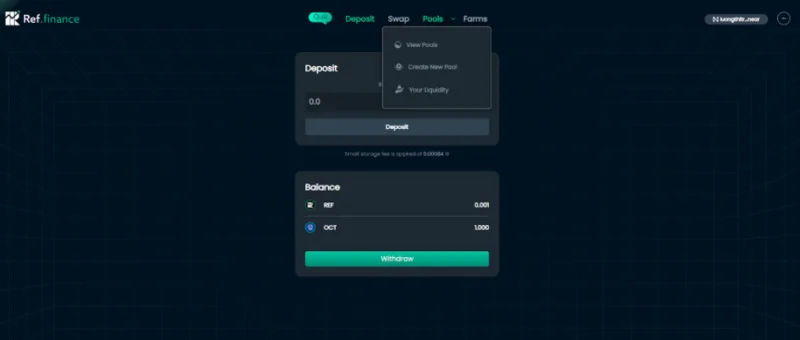
At the main interface of Ref Finance, point your mouse at the Pools section, and three sections will appear: View Pools, Create New Pool, Your Liquidity.
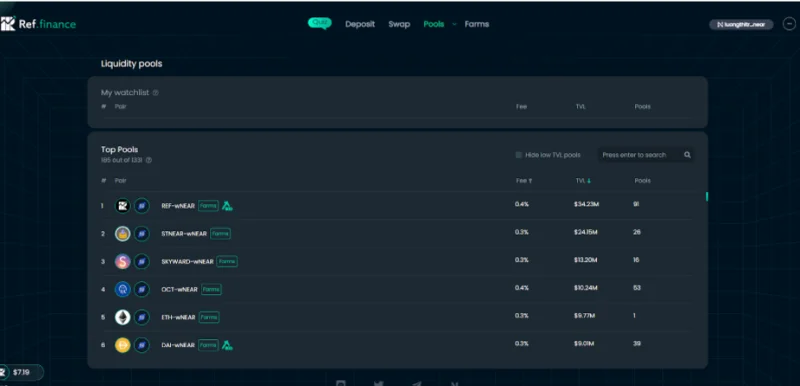
View Pools : This will display all the Pools currently available on daRef Finance and the user can view the available liquidity for each available token pair.
Create New Pool : Here, investors can create a new Liquidity Pool with any 2 tokens you want to create.
Your Liquidity : Here you can see which Liquidity Pools you have provided liquidity for before.
![What is Ref Finance? The most detailed guide to using Ref Finance]()
View Pools User Manual
Step 1 : In the “ Pools ” section, click on “ View Pools ”. Next, you choose the token pair you want to add liquidity to. You can use the search bar in the right corner of the Pool list to work faster.
![What is Ref Finance? The most detailed guide to using Ref Finance]()
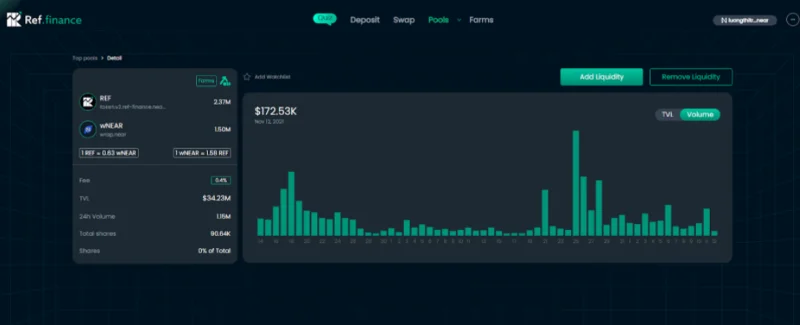
Step 2 : Then you click on the token pair you want to add liquidity. At this interface, click " Add Liquidity " to add liquidity or " Remove Liquidity " to withdraw liquidity (if any). Here, you can also see information such as: Available liquidity volume, percentage you get from Total shares...
![What is Ref Finance? The most detailed guide to using Ref Finance]()
Step 3 :
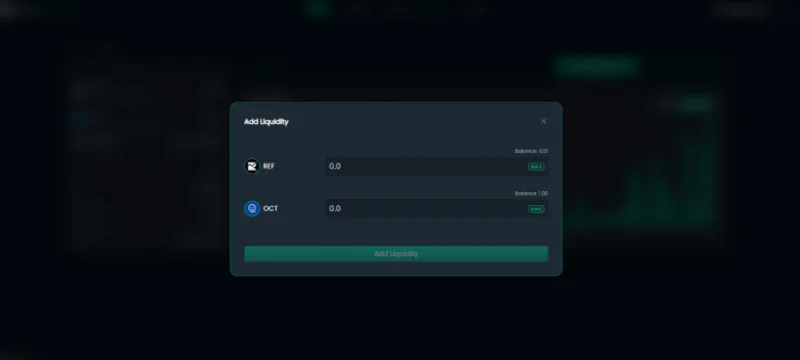
To add liquidity, select “ Add Liquidity ”. Then, you enter the amount of 1 of 2 tokens that you want to add liquidity, the remaining amount of tokens will be automatically balanced by the system. Finally, click “ Add Liquidity ”, then select “ Allow ” at the NEAR Wallet interface to confirm the transaction.
![What is Ref Finance? The most detailed guide to using Ref Finance]()
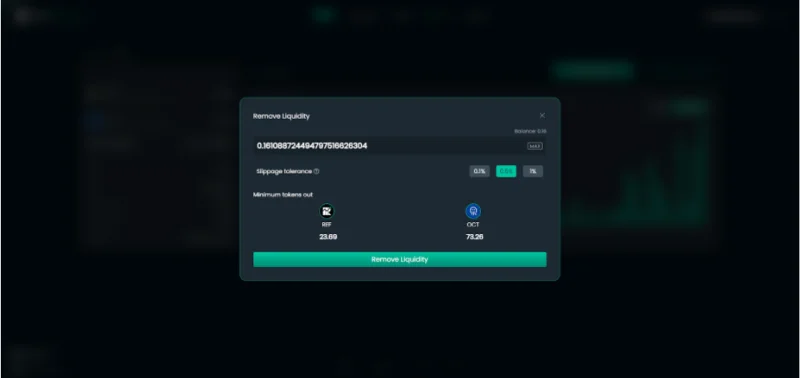
To withdraw liquidity, you select “ Remove Liquidity ” and enter the percentage you get from Total Shares or press “ Max ”. Finally select “ Remove Liquidity ”, then select “ Allow ” at the NEAR Wallet interface to confirm the transaction.
![What is Ref Finance? The most detailed guide to using Ref Finance]()
Your Liquidity User Manual
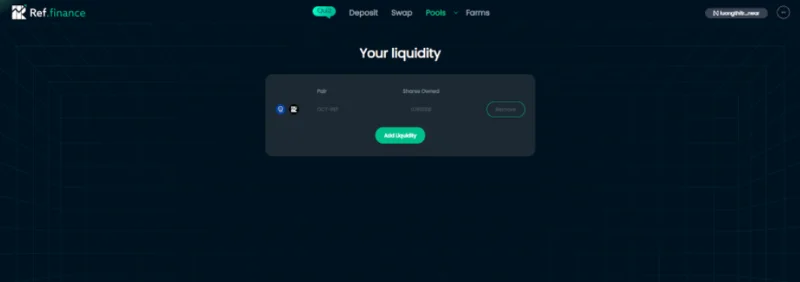
In the " Pools " section, click on " Your Liquidity ". As such, you can already see the Liquidity Pools that you provided liquidity to before.
![What is Ref Finance? The most detailed guide to using Ref Finance]()
Remove Liquidity
There are 2 ways to withdraw liquidity:
Method 1 : You will perform the same steps as in the instructions for using View Pools.
Method 2 : You can withdraw liquidity in the " Your Liquidity " section. Here, you choose " Remove " then do the same as method 1.
![What is Ref Finance? The most detailed guide to using Ref Finance]()
Instructions for using Create New Pool
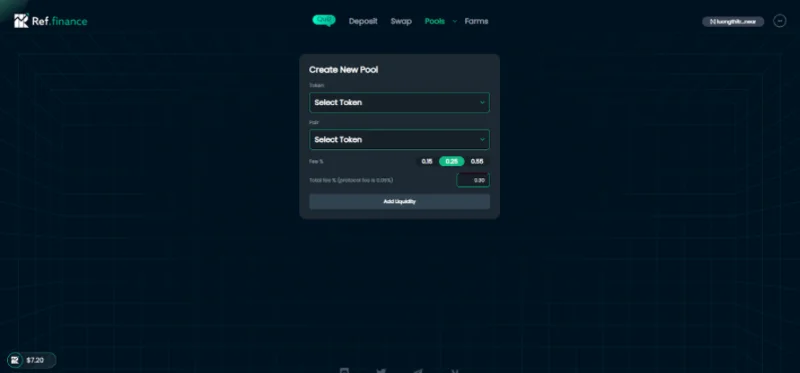
In the " Pools " section, click " Create New Pool ". Next, you choose the token pair you want to create a liquidity pool for. You can customize the “ Total fee % ” and choose the “ Fee % ” you want. Then click “ Add Liquidity ” and select “ Allow ” at the NEAR Wallet interface to confirm the transaction.
![What is Ref Finance? The most detailed guide to using Ref Finance]()
Instructions for using the Farms . feature
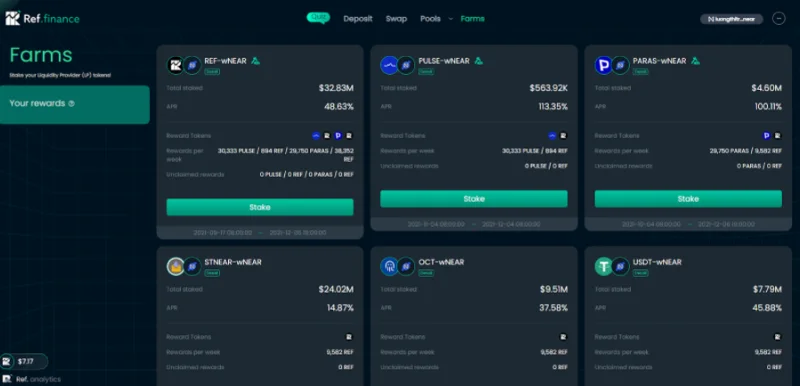
After successfully adding liquidity on Ref Finance, you will receive LP tokens and use them in the Farms feature.
Step 1 : At the Ref Finance interface, select the " Farms " item. Then select the Pool similar to the LP token you received and select “ Stake ”.
![What is Ref Finance? The most detailed guide to using Ref Finance]()
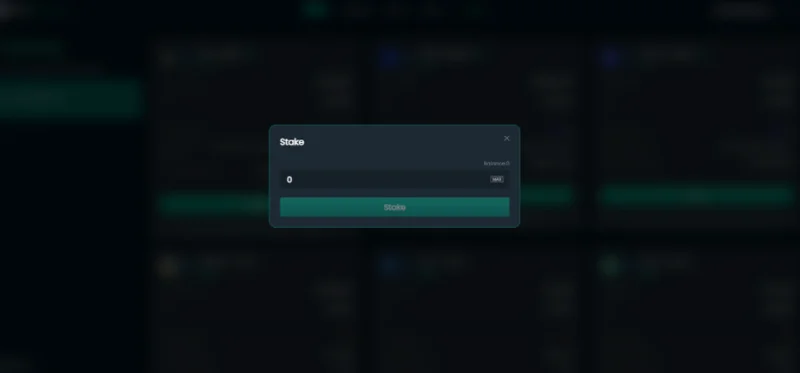
Step 2 : You enter the amount of LP tokens you want to stake or select “ Max ”, then click “ Stake ” and confirm the transaction.
![What is Ref Finance? The most detailed guide to using Ref Finance]()
You can choose “ Withdraw ” to stop staking LP tokens at any time. To receive the reward, select “ Claim Rewards ”.
Using Rainbow Bridge
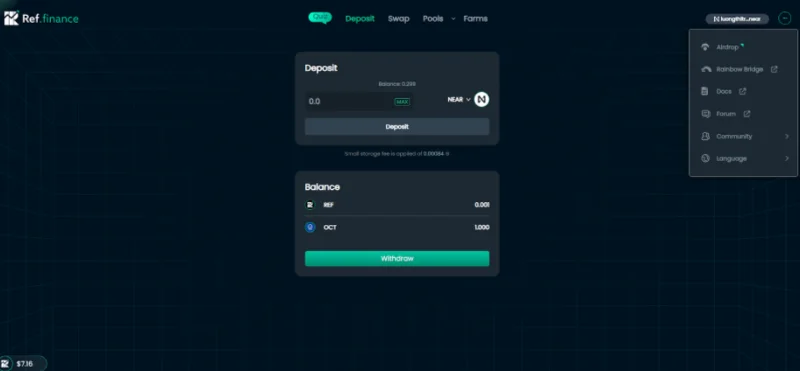
Step 1 : On the homepage of Ref Finance, select the “ … ” sign in the top right corner of the screen. Then select “ Rainbow Bridge ”.
![What is Ref Finance? The most detailed guide to using Ref Finance]()
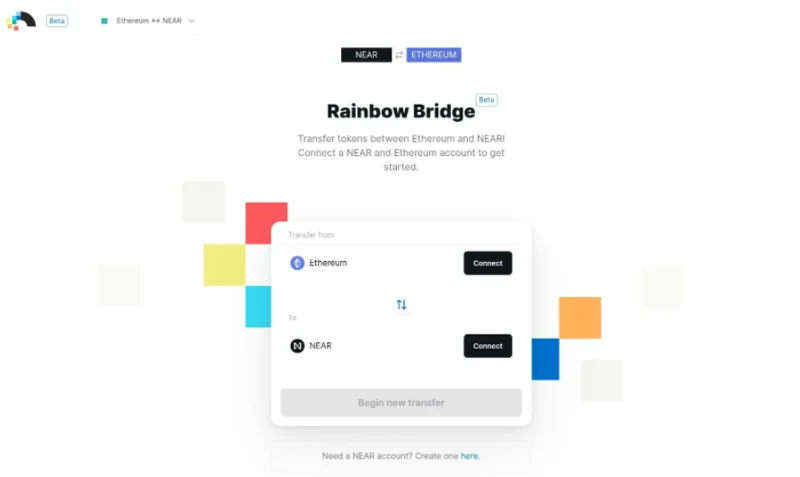
Step 2 : Ref Finance will redirect you to Rainbow Bridge's interface. Here you can connect Ethereum and NEAR as well as convert tokens from Ethereum to NEAR.
![What is Ref Finance? The most detailed guide to using Ref Finance]()
summary
Above is information about Ref Finance and instructions on how to use this floor. Ref Finance is considered an important piece of the NEAR ecosystem. With the advantages of processing speed and low transaction fees, can Ref Finance compete with AMM-based DEXs like Uniswap, PancakeSwap?