PolkaMonster is an NFT game built on the Binance Smart Chain platform, inspired by the Pokemon Go game. With PolkaMonster, players can earn money from activities such as collecting items, trading animals (Monsters) on the Marketplace and participating in combat with the Org Evils squad in the game.
PkMON is the foundation token of the game PolkaMonster , it serves as the payment currency for in-game items and characters. In addition, players can receive rewards as PkMON tokens when participating in monster fighting missions in the game.
Instructions for installing & connecting to the NFT PolkaMonster game
Basic conditions for players to participate in the game NFT PolkaMonster
1. A wallet account that has integrated the Binance Smart Chain network, in the framework of this article TraderH4 will use the Metamask wallet to guide you.
2. A certain amount of PkMON tokens to buy Monster. You can buy PkMON on exchanges like PancakeSwap and ApeSwap. In addition, you need to prepare more BNB coins as a transaction fee to join the battle.
Detailed instructions on how to connect Metamask wallet, buy Balls/Monster and how to play games
Instructions to access the game and connect the Metamask wallet
To connect your Metamask wallet to PolkaMonster, your wallet must be integrated with the BSC network. You can refer to how to integrate the BSC network into the Metamask wallet in the tutorial on how to play the game My DeFi Pet . If you have integrated the BSC network for your wallet, next you do the following:
Step 1: You access App.polkamonster.game , next select Connect wallet on the right side of the screen and proceed to connect to the wallet. Note, your Metamask wallet account is your game account.
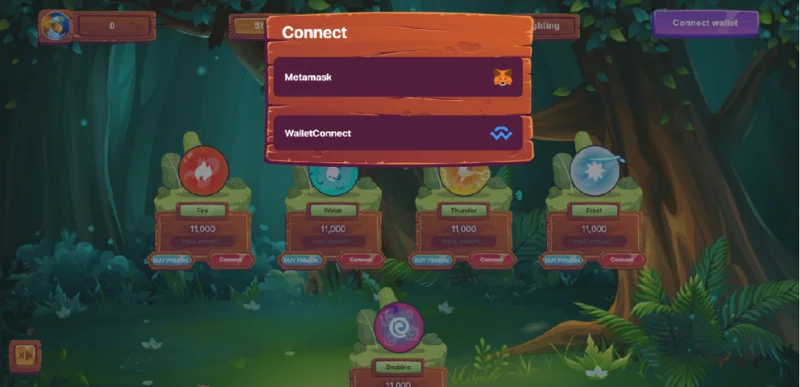
Metamask wallet access interface.
Step 2: When the Metamask wallet interface window appears, select Next , then select Connect , the system will automatically connect.
![Play To Earn: Instructions for installing and playing the game PolkaMonster]()
Metamask wallet connection interface.
When the system switches you to the interface of the game PolkaMonster, you have successfully connected the wallet.
![Play To Earn: Instructions for installing and playing the game PolkaMonster]()
The interface of the game PolkaMonster.
Guide to buying eggs/Monster
First, you must own at least one Monster to start playing the game. Each Monster will have powers absorbed from natural elements including: Fire, Thunder, Ice, Water. Today, the game PolkaMonster has launched on the Marketplace so we have 2 ways to buy Monster:
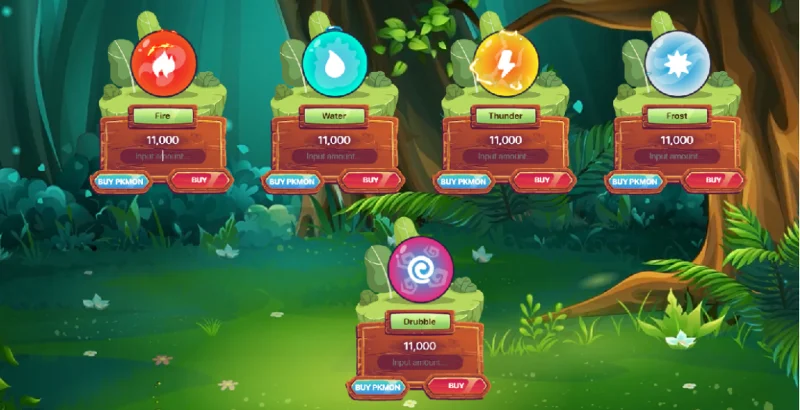
Method 1: You will buy Monsters as eggs at the store, if this way you get 1 random Monster, and it will cost 11,000 PkMON tokens for 1 Monster. If you are lucky, you will have the opportunity to receive rare Monsters. To buy Monster in way 1, do the following:
Step 1: At the store interface, select Monster according to the element you like.
![Play To Earn: Instructions for installing and playing the game PolkaMonster]()
Egg buying interface.
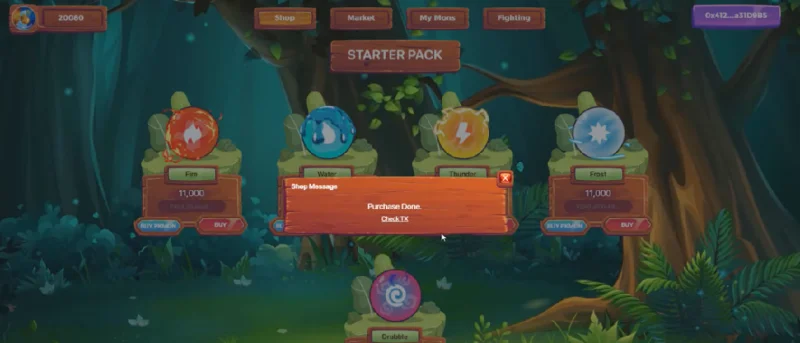
Step 2: Next, enter the number of eggs you want to buy in the Input amount box , then select Buy . The system will connect to your wallet and proceed with the payment. If the payment is successful, the message is Purchase Done .
![Play To Earn: Instructions for installing and playing the game PolkaMonster]()
The interface confirms successful egg purchase.
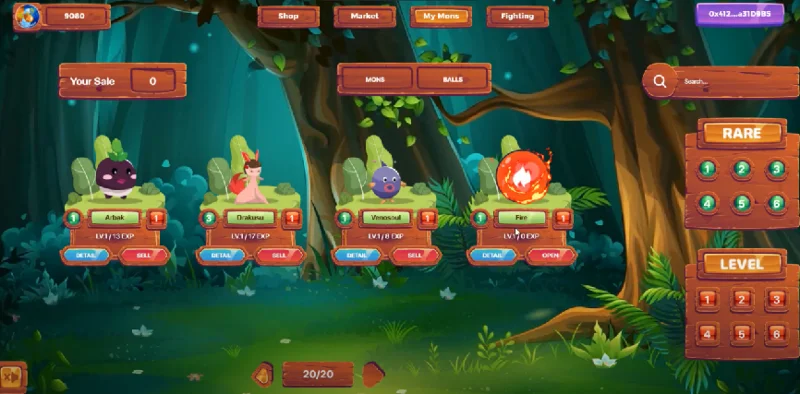
Step 3: After completing the transaction, at the game interface you choose My Mons , the egg you just bought will be in the Balls section .
![Play To Earn: Instructions for installing and playing the game PolkaMonster]()
Egg opening interface.
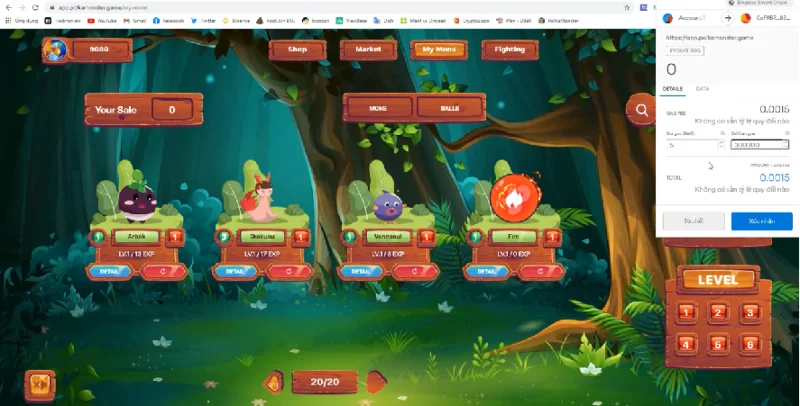
Step 4: To open the egg you choose Open , the system will open your Metamask wallet window, then you select confirm to proceed to open the egg.
Tip: to increase the probability of opening rare Monsters, you need to adjust the Gas fee higher. On the toolbar, when the Metamask wallet window will appear, what you need to do is enter the fee of 300000 in the Gas Limit field .
![Play To Earn: Instructions for installing and playing the game PolkaMonster]()
Egg opening confirmation interface.
Thus, I opened a Monster with a rarity of level 2.
![Play To Earn: Instructions for installing and playing the game PolkaMonster]()
The interface opens eggs successfully.
Method 2: You will buy Monster on Marketplace, to proceed with the purchase, you do the following:
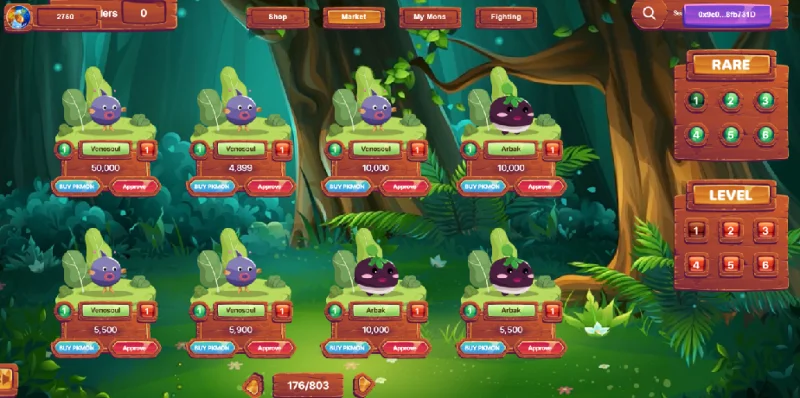
Step 1: At the interface of the game, select the Market item , the system will switch you to the interface to buy Monster.
Step 2: You can select Monster by rarity (Rare) and level (Level) in the right corner of the screen. After you find a suitable Monster, select Approve to proceed with its season.
Step 3: The system will open your Metamask wallet window, then select confirm to proceed with the payment.
![Play To Earn: Instructions for installing and playing the game PolkaMonster]()
Marketplace interface.
Instructions on how to sell Monster
To proceed to sell Monster, you do the following:
Step 1: At the game interface, select My Mons , next you choose a Monster you want to sell. Then, you choose Sell to proceed to sell Monster.
Step 2: The system will ask you to enter the price of the Monster you want to sell, its price will be calculated in PkMON tokens. Finally, you just need to confirm that you can post Monster for sale.
![Play To Earn: Instructions for installing and playing the game PolkaMonster]()
Your Monster skins.
Instructions to join the battle
To start fighting, follow these steps:
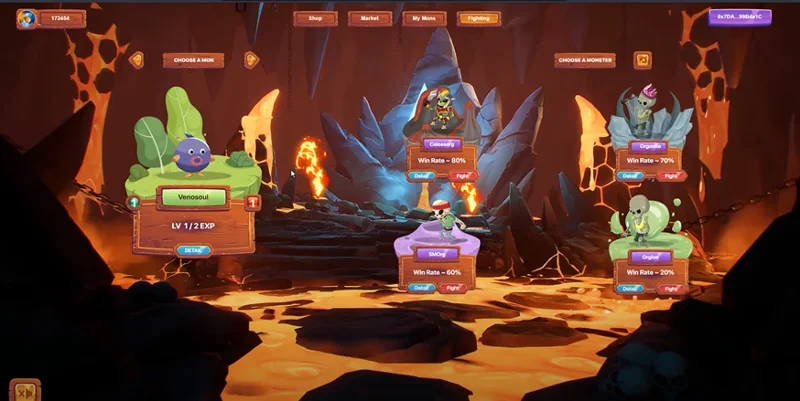
Step 1: At the game interface, click on the Fighting item , the system will switch you to the fighting interface. Here, you need to choose for yourself a Monster (Left of the screen) and a monster (Right of the screen) to join the battle.
![Play To Earn: Instructions for installing and playing the game PolkaMonster]()
Instructions to join the battle.
Step 2: After the selection is complete, at the interface of the monster, click on Fight to start the match. If you win, you will receive PkMON tokens.
Some notes when fighting:
- For low-level Monters, you need to choose a monster (Org Evils) with a high win rate (win rate), from 60% or more to optimize the cost of fighting. But the higher the win rate, the lower the PkMON token reward.
- Each Monster will have a different rarity, the higher the Monster's rarity, the more turns it will fight, specifically as follows: rarity 1 and 2 – every 2 hours will fight 1 turn; rarity 3 and 4 – 2 turns every 2 hours; rarity 5 and 6 – every 2 hours will play 3 turns.
![Play To Earn: Instructions for installing and playing the game PolkaMonster]()
Battle interface.
How to make money in the game PolkaMonster
Ways to make money with Game PolkaMonster
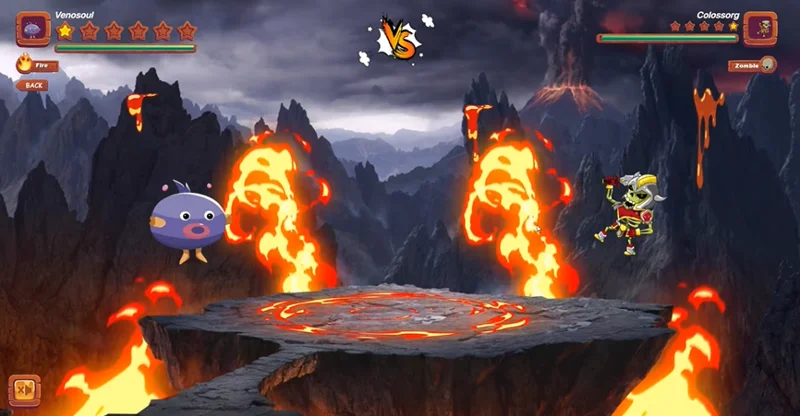
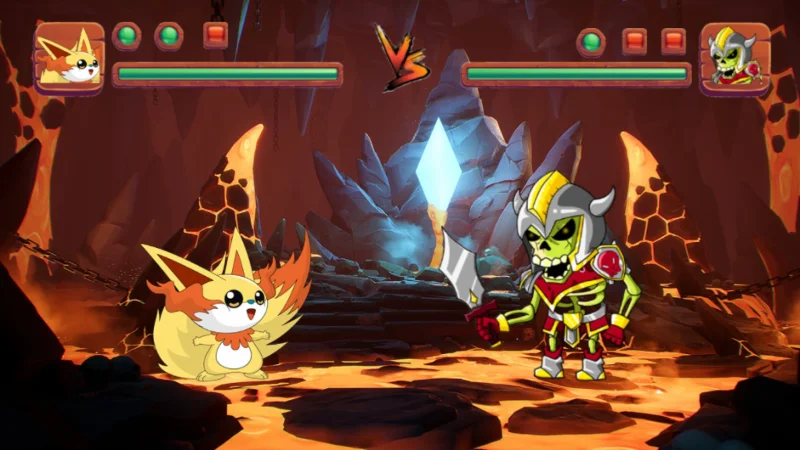
Method 1: In Fighting mode, the player uses Monster to fight legions of Org Evils. If the player wins the battle, they will be rewarded with PkMON tokens and get experience points to level up.
![Play To Earn: Instructions for installing and playing the game PolkaMonster]()
Combat interface.
Method 2: Players can bring Monsters and in-game items to the Marketplace to sell and earn PkMON tokens.
![Play To Earn: Instructions for installing and playing the game PolkaMonster]()
Marketplace interface.
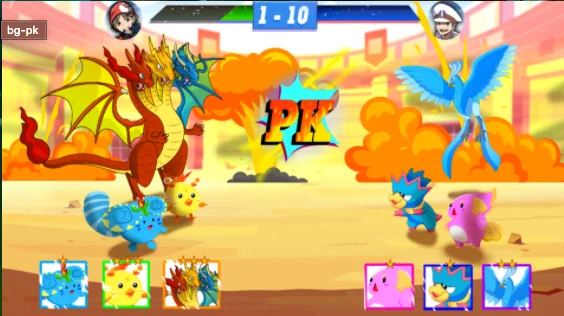
Method 3: In PK mode, players can participate in challenges with other players to earn more PkMON tokens and experience points after each challenge.
![Play To Earn: Instructions for installing and playing the game PolkaMonster]()
War mode interface .
Method 4: Players can participate in team combat events. The event will be held weekly, all players will prepare at least 4 Monsters (including 2 Normal Monsters and 2 Rare Monsters) to participate in defeating Orgest and receive valuable rewards.
Team battle mode interface.
Note : The project has not officially launched modes such as challenging combat (PK) and team combat (Team Combat), so currently you can only earn money in ways 1 and 2.
summary
Above are the most basic instructions for beginners to play the game PolkaMonster. In general, the way to play PolkaMonster is extremely simple and less time consuming for players. With a beautiful graphical interface, an attractive plot along with an extremely rich character system and attractive money-making features, the game PolkaMonster has won the hearts of many gamers. If you are looking for an NFT game project to experience, you should not miss this game.