Overview of the Pangolin . project
What is Project Pangolin (PNG)?
Pangolin is a decentralized exchange (DEX) using the AMM model built on Avalanche's blockchain. Pangolin offers you a fast exchange with low cost. It is noteworthy that Pangolin has a model of 100% distribution of PNG tokens to the community, which means that the project development team will not hold any PNG tokens.
What are the highlights of Pangolin?
Pangolin has a fast transaction speed and extremely low costs : Since Pangolin is built on top of Avalanche, it will allow users to make quick transactions with low costs.
Token Fair launch : Pangolin will distribute 100% of the project's tokens to the community without keeping any part for the development team as well as their partners.
Some features of Pangolin
Swap : Users can swap (Swap) tokens similar to other AMMs like Uniswap , Sushiswap , Pancakeswap ...
Add Liquidity : This feature allows you to provide liquidity to Pangolin and receive 0.25% of traders' transaction fees.
Pangolin's Partner
Pangolin has attracted a number of famous partners such as Avalaunch , Spore, OpenOcean, Beefy.finance , Paraswap, Snowball...
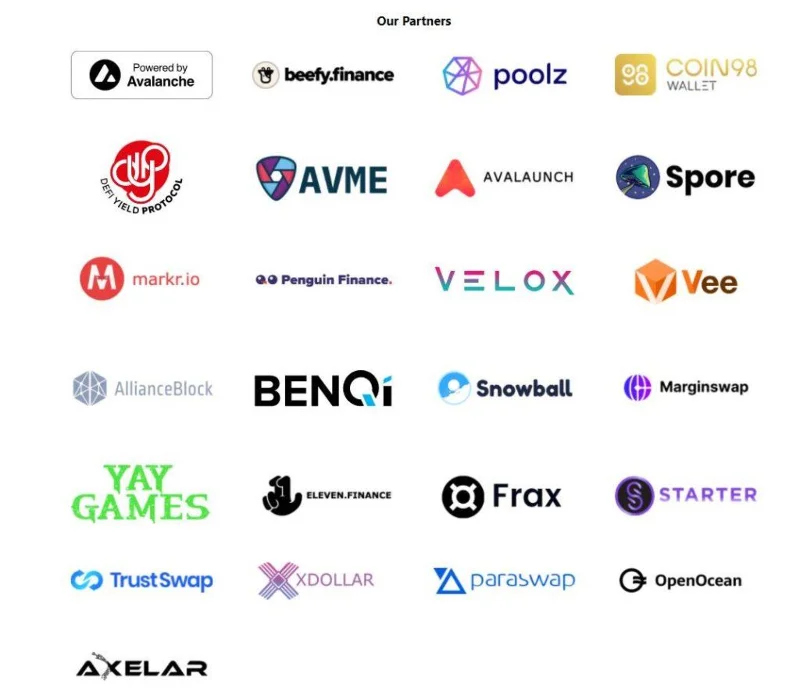
Some partners of Pangolin.
Instructions for using DEX Pangolin
Basic token conversion steps
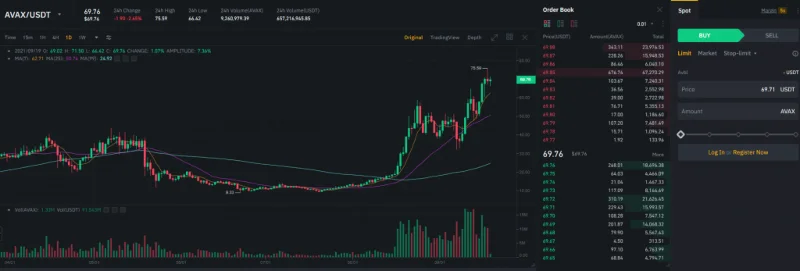
Step 1 : You need to buy AVAX from centralized exchanges (CEX) like Binance, Gate.io.
![What is Pangolin (PNG)? All information about the Pangolin . project]()
AVAX buying interface on Binance.
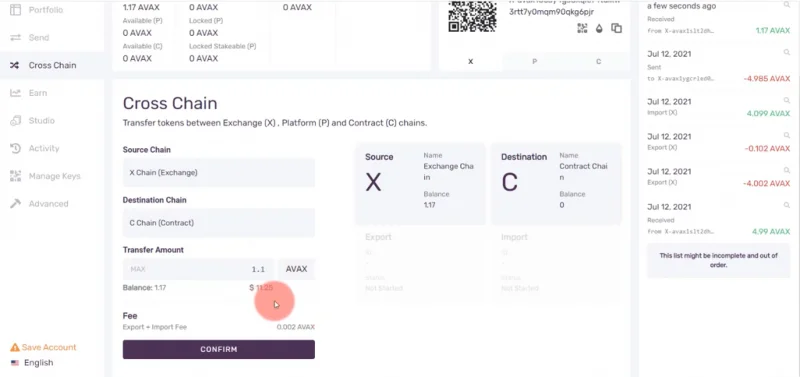
Step 2 : You can proceed to withdraw AVAX from Binance to Avalanche Wallet, then you can swap AVAX tokens from Chain X to Chain C.
![What is Pangolin (PNG)? All information about the Pangolin . project]()
AVAX transfer interface from Chain X to Chain C.
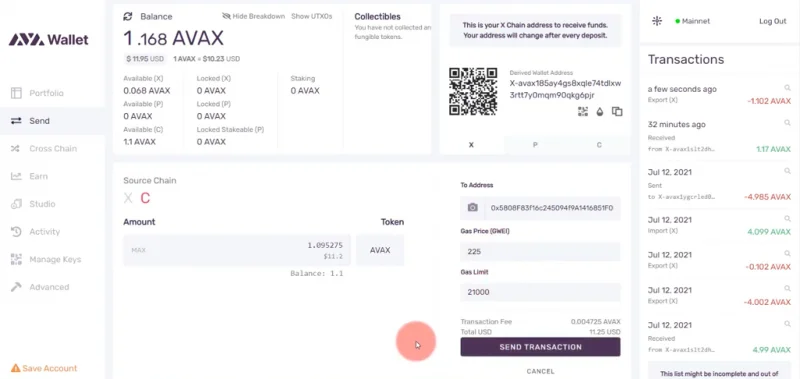
Step 3 : Next, you can send AVAX from Avalanche Wallet to Metamask wallet.
![What is Pangolin (PNG)? All information about the Pangolin . project]()
Interface for sending AVAX tokens from Avalanche Wallet to Metamask.
AVAX send successful interface.
Step 4 : Finally, you will swap Chain C tokens.
Directly transfer ETH to Chain C on Metamask for swap
Step 1 : First you can load ERC-20 tokens such as ETH into Metamask wallet (Mainnet Ethereum).
Step 2 : Next, you access Avalanche Bridge to swap ETH from the Ethereum network to Avalanche's C-Chain network.
Step 3 : Finally, you use the C-Chain network to swap tokens on Pangolin.
Instructions to swap tokens on Pangolin
Step 1: You need to install Avalanche Network's C-Chain on Metamask.
Step 2: Next, you transfer AVAX tokens from Chain X to Chain C on Avalanche Wallet, then send this token to Metamask wallet.
Step 3: Swap instructions:
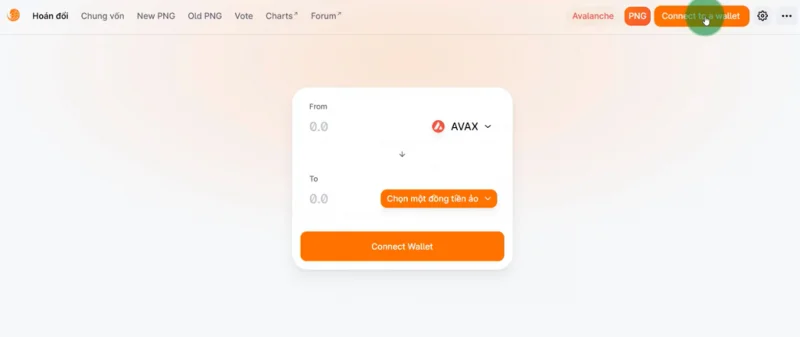
![What is Pangolin (PNG)? All information about the Pangolin . project]()
Connect Pangolin to Metamask wallet.
- You choose the network you have set up Avalanche Network in step 1.
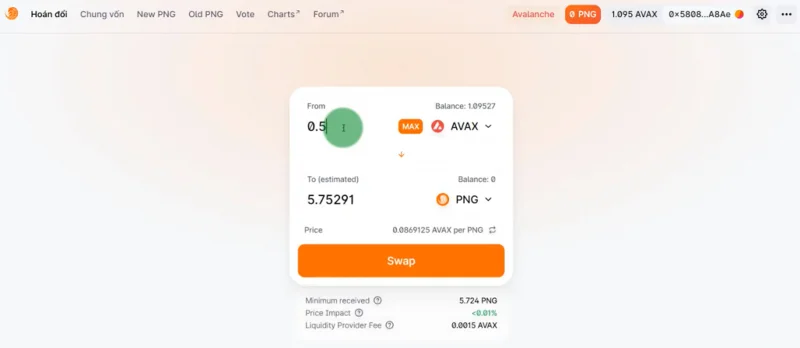
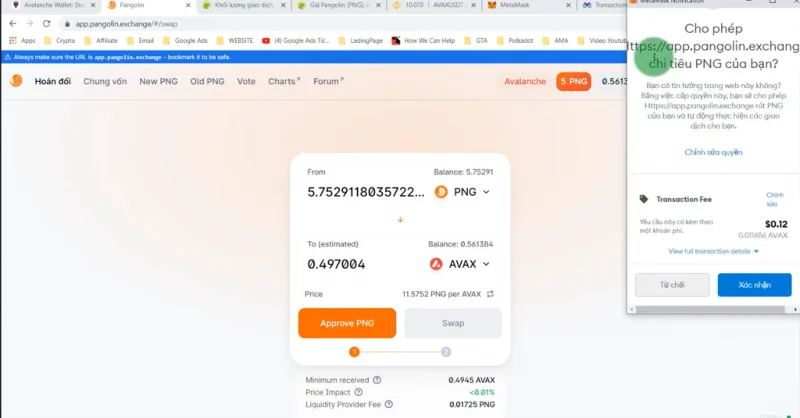
- After the connection is complete, you choose the type of token you want to convert, next you enter the number of tokens and proceed to select " Swap ".
![What is Pangolin (PNG)? All information about the Pangolin . project]()
Swap interface.
- Finally, you confirm the parameters on the Metamask wallet and pay a fee in AVAX coins to complete the transaction.
![What is Pangolin (PNG)? All information about the Pangolin . project]()
Transaction completion confirmation interface.
PNG token overview
What is PNG used for?
PNG is the native token of the Pangolin project, it has the following roles:
Governance participation: PNG owners have the right to participate in the system administration process as well as they can contribute ideas to help developers build the Pangolin project.
Add Liquidity: PNG is also used to provide liquidity on Pangolin.
Some basic information of PNG
- Token Name : Pangolin.
- Ticker : PNG.
- Blockchain : Avalanche.
- Token Standard : ARC20.
- Contract : 0x607…3faca982 .
- Total Supply : 538,000,000 PNG.
- Circulating Supply : 21.378,683.
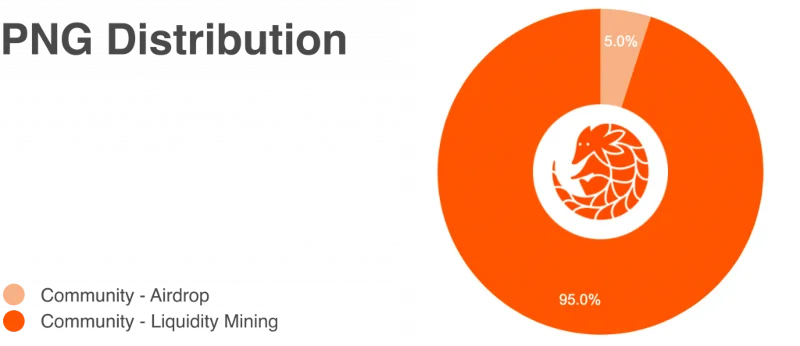
Allocate PNG token tokens
- Airdrop : 5%.
- Liquidity Mining : 95%.
![What is Pangolin (PNG)? All information about the Pangolin . project]()
Distribution of PNG tokens.
How to Store and Own PNG
You can buy PNG on exchanges like Pangolin, Gate.io…
Alternatively, you can store PNGs in wallets like Metamask , Trust Wallet , Avalanche Wallet..
summary
Thus, TraderH4 has just brought you all the information about the Pangolin project and the PNG token. Hopefully with the above information, you can use Pangolin flooring easily. Pangolin was created to solve the gas fee problems that other AMM exchanges are facing. In addition, Pangolin is one of the important pieces in the Avalanche ecosystem. Along with the Avalanche ecosystem being invested by large organizations, Pangolin may benefit from this in the future. Therefore, you can scrutinize the potential of the project in the future to make the right investment decision for yourself.