Home
» Ecosystem
»
Token Approvals in a Crypto Wallet: How to Find and Revoke Risky Allowances Safely
Token Approvals in a Crypto Wallet: How to Find and Revoke Risky Allowances Safely
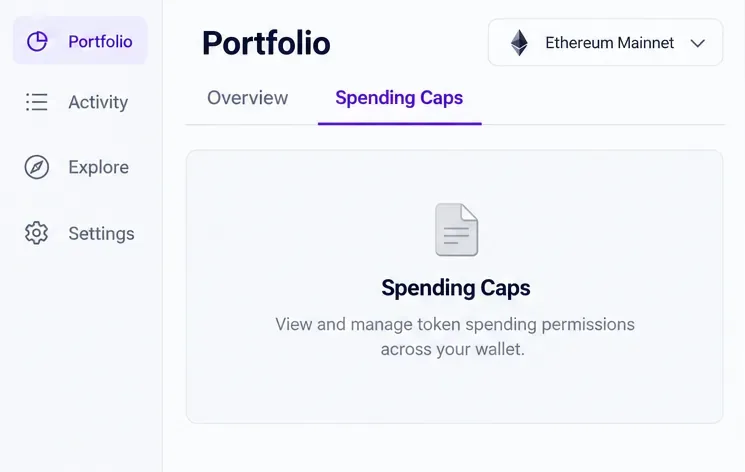
Start on the correct account and network before opening the Spending Caps view. This is a conceptual interface view; available networks and layout can vary.
A token approval, also called an allowance, is a permission a wallet owner gives a smart contract to spend a specified token. It can be useful for swaps, staking, or deposits, but an old or overly broad approval may remain active after you leave the site. A risky allowance is not automatically proof of theft; it is a permission worth checking against what you still use.
The safest review starts with the exact wallet account and network, identifies the token and spender, and then sends an on-chain revocation only when you understand what it will change. This guide uses MetaMask Portfolio’s documented “Spending Caps” flow as an example. Menu names and supported networks can change; the referenced MetaMask page currently lists Ethereum Mainnet, Polygon, BNB Chain, Optimism, and Base. Other wallets and networks may use different tools.
What does a token approval let a dapp do?
For a typical ERC-20 token, the approval records a spender address and an amount. The spender can call the token contract’s transferFrom function to move tokens from your wallet, up to the remaining allowance. The permission applies to that token contract and spender on that chain. It does not give the spender your recovery phrase or automatically grant access to every asset in every network.
An unlimited allowance can make repeated use cheaper and easier because you may not need to approve again for every interaction. But if the approved contract is malicious, compromised, or no longer the one you intended to trust, the allowance can expose more of that token than the next transaction needs. NFT permissions are different: an ERC-721 token may have a one-token approval or a collection-wide setApprovalForAll permission. Review those separately.
Which allowances should I prioritize?
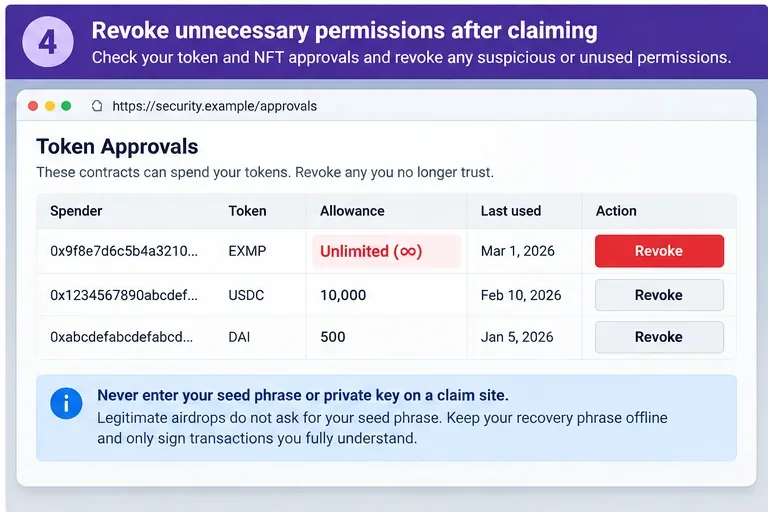
Unlimited or very large amounts: check whether that scope is still necessary. “Unlimited” describes the permission amount, not the amount already taken.
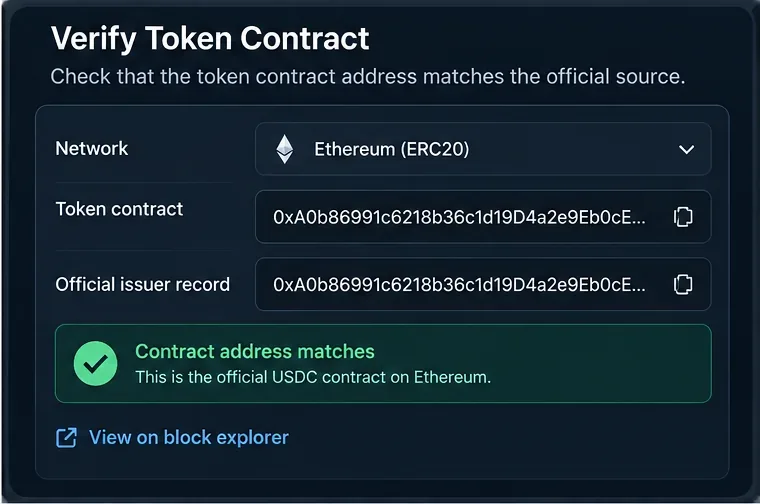
Unknown spenders: copy the complete contract address and compare it with the project’s official documentation and the relevant block explorer. A familiar label or token logo is not enough to verify an address.
Old or unused dapps: approvals can persist after you stop using a protocol or disconnect your wallet.
Unexpected token or network: make sure the approval belongs to the wallet and chain you are reviewing. A token symbol can be duplicated by unrelated contracts.
Collection-wide NFT permissions: check whether an older marketplace or dapp can still manage every NFT in a collection.
Use a trusted source to open an approval checker. MetaMask’s help center points users to block-explorer approval checkers, including Etherscan, BscScan, and Polygonscan, and also describes MetaMask Portfolio and third-party tools. Bookmark the official service URL or reach it from its official support page; do not follow an unsolicited “revoke now” link from a message or ad.
How can I find and revoke a risky allowance safely?
1. Open the checker for the account and network you intend to review
Navigate to the official wallet portfolio or a block explorer’s approval checker. Connect only the account you want to inspect, confirm the account address in the wallet, and select the exact network. Repeat this review on each network where you have used dapps: allowances are chain-specific, so checking Ethereum Mainnet does not tell you what is approved on Base or BNB Chain.
In MetaMask Portfolio, the documented path is to connect the account, open “Overview,” and switch to “Spending Caps.” If the selected network is not supported in that tool, use the relevant network’s official explorer checker or another established permissions service. A portfolio tool is a convenient view, not a complete security audit.
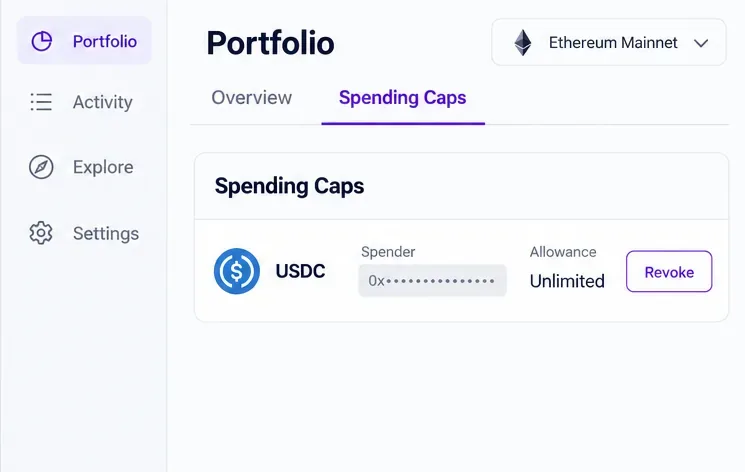
Review the token, full spender address, and allowance together; an unlimited cap is a reason to evaluate the permission, not evidence that funds were taken.
2. Match each entry to a real use before acting
For every entry, record the token, spender address, amount or scope, and network. Compare the spender with the official contract address for the dapp you intended to use. If you cannot confirm the address or do not recognize the approval, treat it as a candidate for revocation—but first make sure you have selected the correct account and token.
Do not rely on a label such as “DEX,” “marketplace,” or “verified.” Verification badges and name labels can be incomplete, and scammers can imitate project names. The contract address and chain are the useful identifiers. If you are uncertain, stop and check the project’s own documentation or support route before signing another transaction.
3. Submit a revocation transaction and inspect the wallet prompt
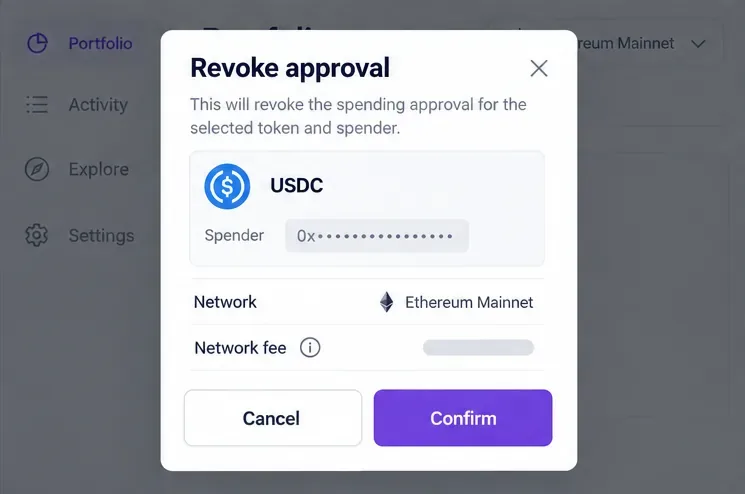
Choose the specific allowance and use the checker’s “Revoke” action. Before confirming in your wallet, verify the account, network, token, spender, transaction action, and network fee. A normal ERC-20 revocation sets the allowance for that token and spender to zero; the ERC-20 standard describes approve as setting the spender’s allowance, and a later call overwrites that amount. Revoke only the entry you mean to change.
Revocation is an on-chain transaction, so it costs gas in the network’s native fee asset. The fee can vary with network congestion and the number of approvals you revoke. Never give a recovery phrase or private key to an approval checker, and do not sign a message that the wallet or site cannot explain. If the prompt shows a token transfer, a different spender, or an unexpected chain, cancel it and re-open the service from a trusted address.
Before confirming, check that the wallet prompt is for revoking the intended token approval and shows the expected network and fee.
4. Wait for confirmation, refresh, and review other permission types
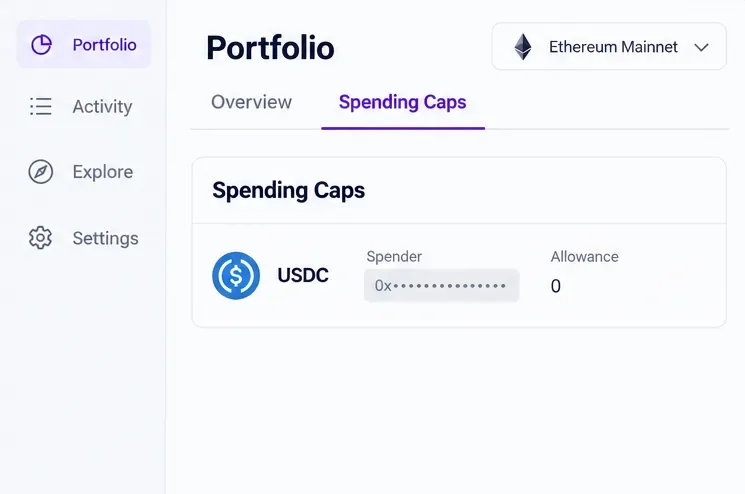
After confirming, wait for the transaction to be included and finalized enough for the wallet or explorer to show its result. Re-open or refresh the allowance checker and verify that the allowance is zero or the entry is no longer active. If a transaction fails or remains pending, do not assume the permission was removed. Check the transaction status on the correct network and follow the wallet’s official troubleshooting guidance.
Then repeat the review on other networks and for any collection-wide NFT permissions you granted. If an approval is still needed for a dapp you use, you can leave it in place or grant a smaller cap the next time you interact, where the token and wallet support it. A smaller allowance limits what that spender can draw under that approval; it does not make a malicious dapp safe.
After the revocation confirms, refresh the checker and verify the selected spender’s allowance is zero on that network.
Does disconnecting a wallet revoke token approvals?
No. Disconnecting removes a dapp connection or limits what the site can see through that connection; it does not change an on-chain token allowance. Revoking is a separate transaction that changes the permission recorded by the token contract. If you want both actions, disconnect the site in your wallet and separately revoke approvals you no longer want.
What if I signed a permit or Permit2 message?
Some approvals use signatures rather than a standalone, immediately visible approval transaction. A basic allowance checker may not show every unsubmitted off-chain signature or every protocol-specific permission. MetaMask’s guidance on signature phishing describes Permit2 messages as off-chain signatures that may remain usable for a specified period. If you suspect you signed a malicious message, use a trusted checker that specifically supports that permission type and follow the wallet or protocol’s official instructions. If you cannot establish that the permission is invalidated, consider moving at-risk assets to a fresh wallet created on a clean device; revoking one allowance will not invalidate every signature or repair a compromised recovery phrase.
Quick safety checklist
Use an official checker URL and connect only the account you intend to review.
Check every relevant network; allowances are not automatically shared between chains.
Verify token contract, spender address, and allowance scope before revoking.
Read the wallet transaction prompt and fee; cancel anything that does not match the intended revocation.
Wait for confirmation and verify the allowance again in the same network.
Remember that revocation cannot recover tokens already transferred, and disconnecting a dapp is a separate action.
Allowances are a normal part of many crypto transactions, so the goal is not to approve nothing forever. Keep permissions aligned with the dapps and amounts you actually need, and review them whenever you stop using a protocol or see an unexpected wallet prompt.