Home
» News
»
How to Protect Your Web3 Wallet from Drainer Phishing and Malicious Approvals
How to Protect Your Web3 Wallet from Drainer Phishing and Malicious Approvals
A Web3 wallet can be drained without an attacker ever learning your seed phrase. That is the uncomfortable part of modern phishing: a fake site may simply persuade you to authorize the attacker to move assets that your wallet already controls. The approval or signature can look routine, especially when the page imitates a familiar protocol, airdrop, mint, support portal, or token claim.
This guide was checked against official wallet, protocol, and Ethereum-standard documentation on September 16, 2026. The exact warning screens and security features differ by wallet, network, and app, so the goal is not to memorize one interface. It is to understand what a request can authorize before you approve it.
First, understand what a wallet drainer actually needs
A “drainer” is not one single smart-contract function. In practice, phishing campaigns can try to obtain several different kinds of authority: an ERC-20 token allowance, an NFT operator approval, a signed permit, a direct transfer transaction, or—at the most serious level—the user’s Secret Recovery Phrase or private key.
The risk depends on what was authorized. An ERC-20 approval normally applies to a specific token contract and spender, while an ERC-721 setApprovalForAll authorization can let an operator manage all NFTs from that collection that the owner holds. The Ethereum ERC-721 specification explicitly defines setApprovalForAll as enabling or disabling an operator for all of the caller’s assets in that NFT contract. Read the ERC-721 specification.
Action: when a wallet asks you to approve spending, an operator, or a signature, treat it as an authorization decision—not as a harmless “login” step.
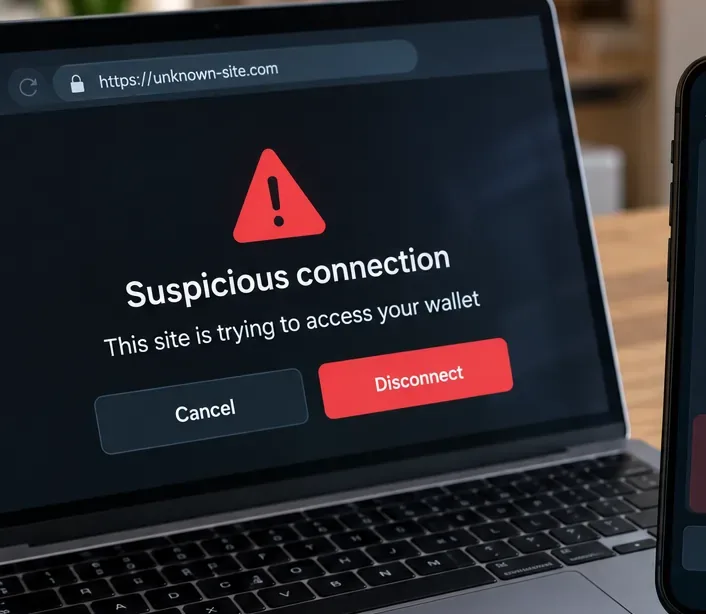
Start with the domain: an unfamiliar or look-alike address should stop the interaction before any wallet request is approved.
Myth 1: “Connecting my wallet lets the site take my funds”
Verified: simply connecting a wallet and granting an app access to your public address is not the same as granting a token allowance. MetaMask’s official documentation makes this distinction explicitly: disconnecting a dapp removes the connection, while revoking an allowance removes the smart contract’s ability to access and move tokens covered by that approval. See MetaMask’s approval-revocation guidance.
Context matters: after connection, a site can still present a transaction or signature request. The dangerous step often comes after the initial connection, so “I only connected” is safe only if you truly did not sign or approve anything else.
Action: if you connected to a suspicious site but rejected every transaction and signature, disconnect it anyway. Then review your wallet’s recent activity and approvals rather than assuming the connection itself moved funds.
Myth 2: “If I disconnect the dapp, I have revoked its token approval”
Verified: this is false. A token approval is an on-chain authorization. Disconnecting the website session does not automatically erase that blockchain state. MetaMask notes that revocation itself is an on-chain transaction and therefore normally requires network gas. MetaMask explains the difference here.
This matters after phishing because a victim may close the browser, disconnect the dapp, and believe the danger is over while a previously approved spender still retains authority.
Action: if you approved a spender you no longer trust, use the approval-management feature in your wallet or the official approval checker offered by the relevant network explorer, and submit an on-chain revocation.
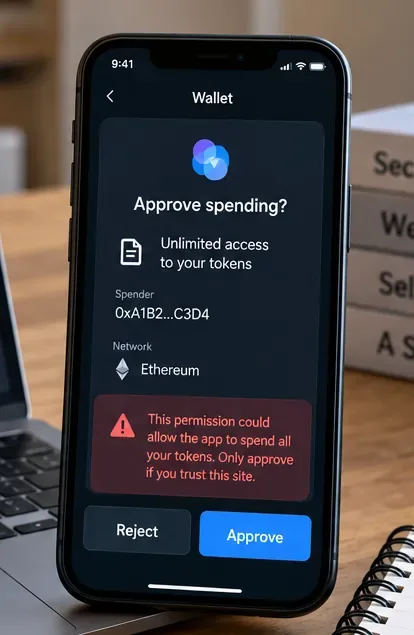
An unlimited spending request deserves deliberate review: check the token, spender, network, and requested amount before approving.
Reduce the blast radius of ERC-20 approvals
ERC-20 allowances are useful because a decentralized exchange or other contract may need permission to transfer tokens on your behalf. They are not inherently malicious. The problem is scope. If you grant a very large or unlimited allowance and the spender is malicious—or a trusted contract later becomes exploitable—the amount at risk can be much larger than the transaction you intended.
MetaMask currently allows users to set a custom spending cap for supported approval flows. Its security documentation recommends checking what a dapp is requesting and limiting access when appropriate. See MetaMask’s spending-cap guidance.
Action: when the wallet offers a custom cap, approve only the amount the immediate action reasonably requires. If a site wants unlimited access for a one-time swap or claim, stop and verify why.
Do not ignore signed permits just because no gas fee appears
Verified: not every authorization begins as a normal on-chain approval transaction. ERC-2612 introduced permit, which allows an ERC-20 allowance to be set through a signed message. The standard states that a valid signature can set the owner’s allowance for a spender up to a specified value and deadline. Read ERC-2612.
That means “this signature costs no gas” is not proof that it is harmless. A signature can carry authorization that another party later submits on-chain. Whether a particular signature can move assets depends on the exact standard, contract, fields, and downstream execution.
Action: read the structured data shown by the wallet. Pay special attention to the spender, token, value, deadline, chain, and contract domain. Reject requests you cannot explain in plain language.
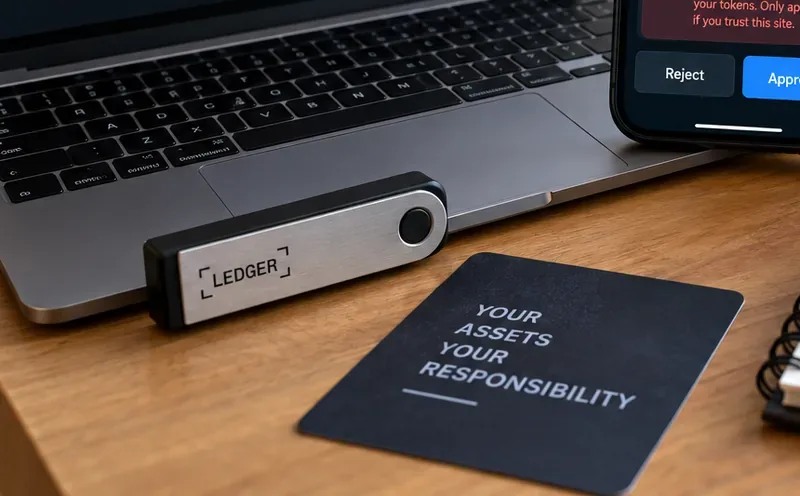
A hardware wallet can isolate private-key material, but it cannot make a malicious approval safe if the user intentionally confirms it.
Myth 3: “A hardware wallet protects me from drainers automatically”
Partly true, but incomplete: hardware wallets can protect private keys from being directly exposed to the browser or ordinary malware, which is valuable. But phishing frequently targets the user’s authorization decision. If the device displays a malicious transaction or approval and the user confirms it, the hardware boundary does not magically invalidate the authorization.
The practical advantage is strongest when the device lets you verify meaningful transaction details on a trusted screen. The protection is weaker when the request is opaque or when the user confirms something they do not understand.
Action: use a hardware wallet for high-value holdings, but still verify the destination, contract, amount, network, and permission on the signing device. Never treat the presence of a hardware wallet as permission to sign blindly.
Watch for NFT-wide operator approvals
For NFTs, the phrase setApprovalForAll deserves special attention. Under ERC-721, setting an operator to approved can allow that operator to manage all NFTs from that contract that you own. This is broader than approving one NFT ID. The Ethereum standard itself distinguishes single-token approval from operator-wide approval. Review the ERC-721 approval functions.
That does not mean every setApprovalForAll request is malicious; NFT marketplaces may legitimately need operator permissions. The right question is whether the operator and use case match what you intended.
Action: if you are only trying to claim an airdrop or sign into a website, an unexpected request for NFT-wide operator control should be treated as a major warning sign.
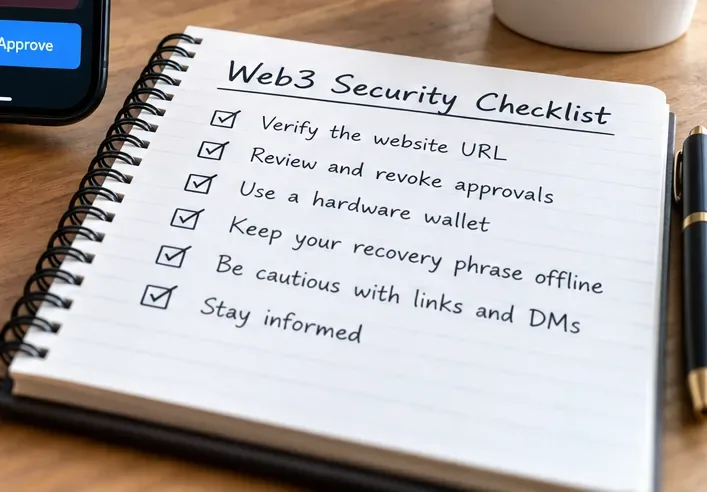
A repeatable checklist is more reliable than intuition when a phishing page is designed to create urgency or FOMO.
Verify the site before you verify the transaction
Drainer phishing often succeeds because the fake website looks close enough to the real one. A sponsored search result, social-media reply, direct message, fake support account, or copied front end can lead users to a different domain that presents convincing wallet prompts.
Wallet security systems can help, but they are not infallible. WalletConnect’s Verify API, for example, can tell a participating wallet whether a domain is verified, mismatched, unknown, or flagged as malicious. WalletConnect explicitly warns that this detection is not “bulletproof.” See WalletConnect’s Verify API documentation.
MetaMask similarly describes its security alerts as informational signals rather than guarantees and notes that legitimate sites may not always carry a verified indicator. See MetaMask security alerts.
Action: reach important dapps through a bookmark you created from an independently verified official source. Do not rely on the first search result, a shortened link, or a URL supplied in an unsolicited DM.
Separating everyday dapp activity from long-term holdings can reduce how much is exposed when one wallet signs a bad request.
Separate your “vault” from your “dapp” wallet
This is a risk-management technique rather than a protocol rule. A wallet used for experimenting with new mints, token claims, games, and unfamiliar dapps has a larger interaction surface than an address used only to hold long-term assets.
Separation does not prevent phishing, and moving assets between wallets creates its own operational burden. But it can limit the value exposed to a mistaken approval because the interaction wallet simply does not hold the bulk of your assets.
Action: consider keeping long-term or high-value assets in a wallet that rarely connects to dapps, while using a separate wallet with a deliberately limited balance for higher-risk Web3 activity.
Myth 4: “A verified or unflagged site must be safe”
Not verified: the absence of a warning is not proof of safety. Threat databases can lag behind newly created phishing domains, and an otherwise legitimate application can still have a compromised front end or vulnerable contract. WalletConnect uses an explicit “UNKNOWN” state for domains it cannot verify, and its documentation says its verification layer is not designed to be infallible.
Action: treat security warnings as one layer. Independently check the domain, expected contract, requested permission, and whether the action makes sense for what you are trying to do.
Two separate checks matter: verify where the request came from, then verify what authority the request grants.
Audit old approvals before they become tomorrow’s problem
Approvals can remain active long after you stop using a dapp. MetaMask recommends periodically checking token approvals and revoking permissions you no longer need. Because revocation changes on-chain state, it generally incurs a gas fee. See the official revocation guide.
How often you should audit depends on how frequently you interact with dapps and how much value sits in the wallet. There is no universally correct schedule.
Action: set a recurring calendar reminder—for example monthly if you are an active DeFi user—to review spenders, allowance sizes, NFT operators, and old dapp permissions across the chains you actually use.
Reviewing contracts and permissions is ongoing wallet hygiene, not a one-time setup step.
If you signed something suspicious, identify which compromise you have
Do not jump immediately to the same remedy for every incident. The response depends on what happened.
What happened
What it may mean
Immediate priority
You only connected to a site
The site learned your public address and established a session, but that alone is not a token allowance
Disconnect and review activity; do not sign follow-up requests
You approved ERC-20 spending
The named spender may be able to transfer the approved amount of that token
Revoke the allowance promptly
You approved an NFT operator
The operator may be able to transfer NFTs covered by that collection approval
Revoke the operator approval
You signed a permit or other structured authorization
The signature may authorize later on-chain action, depending on its contents
Determine exactly what was signed and revoke or move affected assets if possible
You exposed your seed phrase/private key
The wallet keys themselves are compromised
Create a fresh wallet from a new recovery phrase and migrate assets
MetaMask’s official incident-response guidance says that when a Secret Recovery Phrase is compromised, users should create a new wallet with a fresh recovery phrase, move remaining assets, and discontinue use of accounts derived from the compromised phrase. It also warns that blockchain transactions are generally irreversible. See MetaMask’s hacked-or-scammed guidance.
Action: if the seed phrase or private key was exposed, do not treat revoking approvals as sufficient. The signing authority itself must be considered compromised.
Never enter a recovery phrase to “fix” an approval problem
A Secret Recovery Phrase is the master credential for accounts derived from it. MetaMask’s official documentation states that anyone who obtains it can control the wallet. Legitimate approval management does not require entering the recovery phrase into a random website. See MetaMask’s recovery-phrase security guidance.
Action: keep the phrase offline and private. If a website, support agent, form, bot, or “recovery service” asks for it, stop.
Security alerts and stronger account controls add useful layers, but they work best alongside careful approval review and wallet separation.
A practical pre-sign checklist
Domain: Is this exactly the official domain you intended to visit?
Reason: Does the requested permission make sense for the action you initiated?
Network: Is the request on the expected chain?
Contract or spender: Is the receiving or authorized address the expected one?
Scope: Is it a fixed amount, unlimited allowance, one NFT, or operator approval for an entire collection?
Signature fields: If it is typed data, can you identify the token, spender, value, deadline, and domain?
Wallet exposure: Does this wallet contain more value than you are comfortable exposing to this interaction?
Warning signals: Is the wallet reporting a malicious, mismatched, unknown, or otherwise suspicious domain or transaction?
If one of these checks fails, rejecting the request is usually cheaper than trying to recover assets afterward.
How to self-check that your defenses are working
You do not need to wait for an attack to test your setup. Verify that your browser bookmarks point to the correct dapp domains. Open your wallet’s approval-management tools and confirm that you recognize active spenders. Check whether your high-value wallet is still isolated from routine dapp experimentation. Confirm that your recovery phrase is not stored in email, cloud notes, screenshots, chat logs, or a website password manager field. Make sure wallet security warnings are enabled if your wallet provides them.
Then test your own decision process: before signing the next real Web3 request, explain out loud what the request authorizes. If you cannot describe the effect in one sentence, reject it and investigate first.
Bottom line
Most drainer phishing succeeds by turning a legitimate Web3 capability—approvals, operator permissions, signatures, or transactions—into a social-engineering weapon. The best defense is not one extension, one hardware device, or one threat list. It is a layered process: verify the site, understand the authorization, minimize its scope, separate valuable holdings from risky interactions, review old permissions, and know the difference between a malicious approval and a fully compromised recovery phrase.
Security tools can reduce risk, but none can guarantee that a signed malicious request will be harmless. In self-custody, the final confirmation is often the security boundary. Make that confirmation slow, specific, and deliberate.