Home
» News
»
Render vs. Akash Network: Which Decentralized Compute Model Fits Your Workload?
Render vs. Akash Network: Which Decentralized Compute Model Fits Your Workload?
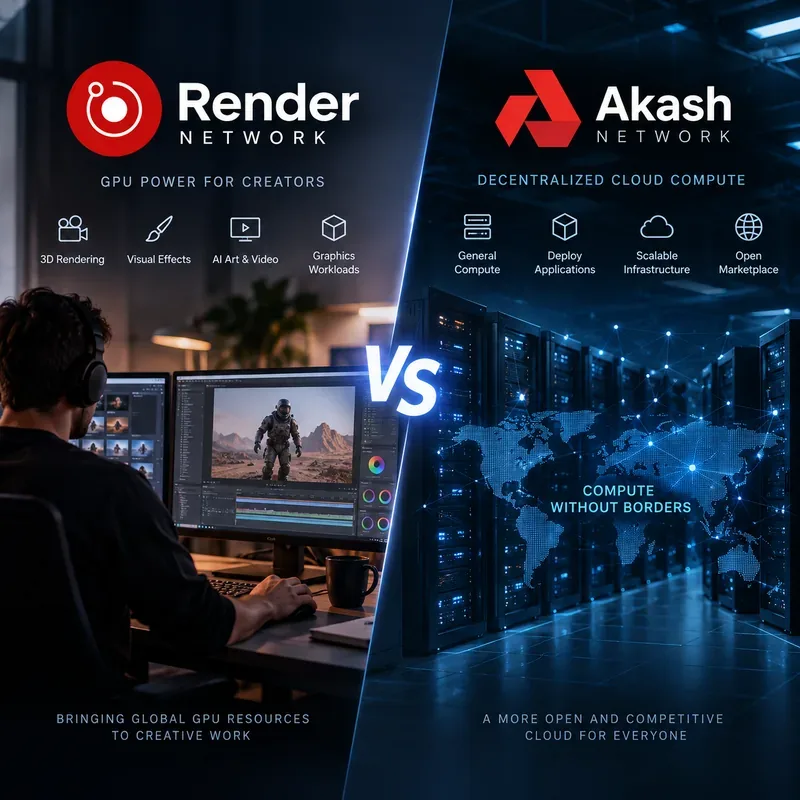
The most important difference is workload fit: Render Network is strongest when you want a creator-oriented GPU pipeline for 3D rendering, visual effects, spatial content, and integrated generative media, while Akash Network is closer to a general decentralized cloud marketplace where you deploy containers and rent CPU, memory, storage, networking, and GPUs from competing providers.
That means there is no useful one-word answer to “Render or Akash?” A studio trying to finish an Octane, Redshift, or Blender Cycles render has a different problem from a developer trying to keep an inference API, database-backed application, or custom CUDA container online. The better network is the one whose operating model matches the job.
Render Network is centered on GPU-heavy creative workflows, while Akash Network exposes a broader marketplace for containerized compute infrastructure.
Render vs. Akash in one table
Question
Render Network
Akash Network
Primary strength
Distributed GPU rendering and creator-focused generative workflows
Render scene, frame job, creative or supported AI workflow
Containerized deployment described with CPU, RAM, storage, GPU and networking requirements
Best-known workloads
3D rendering, VFX, motion graphics, spatial media, generative imaging
Web services, APIs, AI inference, model training, batch compute, databases, GPU applications
GPU control
Job-oriented controls such as engine, VRAM and GPU limits within supported workflows
Infrastructure-oriented requests including GPU model, count and, where available, GPU interconnect
Provider selection
Platform schedules compatible jobs across network nodes
Providers bid for a deployment; tenant accepts a bid and creates a lease
When it feels simplest
You already use a supported creative tool and want to render without building cloud infrastructure
You already have a container and want cloud-like deployment control
Choose Render when the output is the creative job itself
Render Network was built around high-end GPU rendering. Its current official site positions the service around OctaneRender, Redshift and Blender Cycles, alongside generative AI imaging tools. The network also documents integrations with major digital-content-creation software, including Blender, Cinema 4D, Houdini, Maya, 3ds Max, Unity and Unreal Engine. See the Render Network official site and its official integrations page.
This specialization matters. A creator is not simply renting a raw GPU. The workflow includes scene preparation, job submission, cost estimation, rendering and output retrieval. For Octane workflows, Render’s documentation explains that a scene can be packaged as ORBX and sent to the network. Render also exposes controls such as minimum VRAM and maximum GPUs to help match complex scenes with suitable nodes. The official scene preparation documentation and advanced job parameters guide describe that model in detail.
A concrete Render example
Imagine a motion-design studio has a 2,000-frame Cinema 4D sequence that renders correctly in Redshift but would take too long on local workstations. The studio does not need to operate a persistent web server or administer Kubernetes. It needs finished frames. Render is naturally aligned with that requirement because the work can be treated as a rendering job rather than a cloud deployment.
The practical quality test is straightforward: can the scene be prepared in a supported workflow, dispatched successfully, and completed at an acceptable time and cost while producing the expected frames? If yes, the specialized pipeline is an advantage. If the studio finds itself trying to run unrelated long-lived services around the render job, that is a sign to evaluate a more general compute platform.
Choose Akash when you need infrastructure rather than a rendering pipeline
Akash takes a different approach. Its official documentation describes a decentralized marketplace connecting tenants who need compute with providers that operate infrastructure. A deployment specifies services and required resources; an order is opened; providers submit bids; the tenant selects a bid; and the application runs under a lease. See Akash deployment lifecycle documentation.
The deployment definition is much closer to cloud infrastructure than to a render queue. Akash’s Stack Definition Language, or SDL, lets a tenant describe container images, CPU, memory, storage, exposed ports and GPU requirements. Providers can offer CPU and GPU compute, persistent or ephemeral storage, network connectivity and optional IP leases. The provider and lease documentation explains how those resources and agreements work.
A concrete Akash example
Suppose a developer has packaged an image-generation API in Docker. The service needs an NVIDIA GPU, 16 GB or more of GPU memory, several CPU cores, RAM, persistent storage, and a public endpoint. The developer wants the service to remain online rather than disappear after a batch job finishes.
That is structurally an Akash-style problem. The developer can request a GPU deployment, select compatible provider bids, run the container and pay while the lease remains active. Akash’s current GPU documentation explicitly covers AI training, inference, rendering and scientific workloads, including model-specific GPU requests and multi-GPU configurations. See the official GPU deployments guide.
What about AI? The two networks increasingly overlap
The comparison becomes less binary around artificial intelligence. Render is no longer only about traditional frame rendering. Its current platform includes generative imaging tools, and its Compute Client initiative is intended to support third-party machine-learning training, inference, fine-tuning and generative AI applications. Render describes that expansion on its Compute Clients page.
Render’s knowledge base also discusses Dispersed, a general-purpose dockerized compute network for running tools such as Houdini, Python and supporting applications alongside Render workflows. Importantly, the documentation distinguishes Dispersed from the Render Network itself: Dispersed runs general containerized compute, while Render handles specialized decentralized GPU rendering. See the Render knowledge-base explanation of Dispersed.
Akash, meanwhile, treats AI as one category of infrastructure workload rather than the center of the user experience. Its GPU documentation includes LLM training and inference, image generation, video processing and multi-GPU configurations. It also documents GPU interconnect support using InfiniBand or RoCE for providers that expose the capability, which is relevant to distributed workloads that require high-speed communication between GPU nodes.
So the useful distinction is not “Render does graphics and Akash does AI.” Both can touch AI. The better question is whether the AI workload is embedded in a creator pipeline or behaves like a custom cloud application.
How much control do you need?
Render intentionally abstracts more of the infrastructure when you stay inside its supported rendering workflow. That can be valuable. An artist generally cares about compatibility, VRAM, frames, samples, output format and completion time—not which provider is running a Kubernetes pod.
Akash exposes more infrastructure choices. You describe resources, receive provider bids and choose a lease. That flexibility is useful when location, provider reputation, uptime, resource combination or price matters to your application. It also means the tenant has more operational responsibility.
Akash’s documentation says providers compete on price, performance, reliability, location and features. Its APIs expose provider and GPU availability data, so developers can inspect which GPU models are currently offered and whether units are available. Availability can change, however; a model listed by one provider today should not be assumed to be continuously available. See the GPU availability guide.
Pricing: compare the finished workload, not a headline rate
Direct price comparisons are easy to misuse because the products are not identical. Render prices a managed creative-compute experience around supported jobs. Its official site describes on-demand pricing with no minimum spend or upfront commitment. Akash uses a market-driven provider model where bids can differ by provider, region, resources and demand.
Akash’s managed Console lets users add dollar-denominated credits, which are converted into the network’s ACT compute credit behind the scenes. Wallet-based deployments use the network’s escrow and lease model. The current details are documented in How Funding Works.
A fair comparison therefore uses the total cost to complete the same useful outcome. For a render, measure the cost to produce the target frames at the required quality. For an inference service, measure the cost to keep the service available at the required throughput and latency. Do not compare a Render job estimate with an Akash GPU hourly bid and conclude that one is automatically cheaper; that ignores workflow overhead, utilization, storage, networking and idle time.
Reliability and failure modes are different
A rendering workload is naturally divisible. Frames or tiles can often be redistributed when a node fails. Render’s network design and job tooling are built around that kind of parallel creative workload.
A long-running application has different failure concerns. On Akash, the application depends on the selected provider and lease. Tenants should evaluate provider uptime, persistence requirements, networking and the consequences of moving workloads. Akash documentation specifically tells users to evaluate providers by attributes such as performance, reliability and location.
This is why “decentralized” should not be interpreted as “automatically fault tolerant.” Decentralization describes the supply side of compute. Application-level resilience still depends on architecture, replication, backups, deployment strategy and the behavior of individual providers.
Which one fits common use cases?
3D animation, VFX or architectural visualization
Start with Render. Its supported engines, DCC integrations and scene-oriented job controls directly address this workflow. Akash can technically run rendering containers, but you would take on more orchestration work yourself.
A persistent LLM or image-generation API
Start with Akash. A containerized inference server that needs a GPU, endpoint, storage and continuous runtime maps cleanly to Akash’s deployment model. Render’s compute initiatives may be relevant for supported ecosystem applications, but raw application hosting is not the core Render creator workflow.
Generative imagery inside a creative production process
Render may be the simpler path. The platform currently integrates generative imaging tools alongside 3D creation, which reduces the need to assemble infrastructure yourself.
Custom batch compute with your own Docker image
Akash usually offers the clearer infrastructure model. You specify the container and resources and choose among provider bids. If the batch computation is specifically tied to a supported Render/Dispersed workflow, compare both approaches.
Multi-node GPU training
Evaluate Akash provider availability carefully. Akash now documents GPU interconnect support for providers advertising that capability, including RDMA over InfiniBand or RoCE. That does not mean every provider or requested GPU cluster will be available at the moment you need it. Test the exact topology and performance requirements rather than assuming a decentralized marketplace behaves like a dedicated hyperscaler cluster.
When should you switch approaches?
Use actual workload results as the trigger. If a Render workflow spends more effort adapting unsupported application logic than rendering, move that portion to general compute. If an Akash deployment requires substantial custom orchestration merely to reproduce a workflow that Render already supports natively, test Render instead.
Switch away from a specialized render pipeline when you need persistent services, arbitrary containers, databases, custom ports or broader infrastructure control.
Switch away from raw infrastructure when most engineering work is packaging, scheduling and collecting a standard creative render that a purpose-built platform already handles.
Re-evaluate either option when the required GPU model, memory, interconnect, region or availability is not consistently obtainable.
Benchmark before committing when cost depends heavily on GPU utilization, transfer volume, scene complexity, model size or idle time.
The bottom line
Render and Akash are both examples of decentralized compute becoming useful for workloads that once required buying expensive local GPUs or committing to centralized cloud capacity, but they approach the problem from different directions.
Render abstracts infrastructure into creator-focused GPU jobs. It is the more natural first choice for supported 3D rendering, VFX and integrated generative-content workflows. Akash exposes a broader cloud marketplace where developers select providers and run containerized applications with configurable CPU, memory, storage, networking and GPU resources.
If your question is “How do I finish this render or creative GPU job efficiently?”, begin with Render. If it is “Where can I run this containerized application or GPU service with infrastructure-level control?”, begin with Akash. For AI workloads that sit between those categories, test the real pipeline on both and compare the completed outcome—performance, reliability, operational effort and total cost—not just the advertised availability of decentralized GPUs.