Home
» Knowledge
»
Fixing KYC Verification Failed Errors on Binance, Bybit, and OKX
Fixing KYC Verification Failed Errors on Binance, Bybit, and OKX
A failed KYC check does not always mean your exchange account is permanently blocked. KYC, short for Know Your Customer, is the identity-verification process used to confirm that the account belongs to the person shown on the submitted documents. A rejection can come from a blurred image, a mismatch in personal details, an expired document, a failed face scan, a duplicate identity, a restricted region, or a technical problem. The correct fix depends on the reason shown by the platform.
This guide covers Binance, Bybit, and OKX using their official help pages available on September 16, 2026. Product menus, supported documents, review times, and regional rules can change. Treat the exact notice in your account as the starting point, and never send identity documents to an unofficial “helper” through social media or a private chat.
Start with the rejection reason, not another upload
The first useful distinction is between a failed submission and a restriction that requires a policy review. A submission can fail because the photo is dark or cropped. It can also fail because the name, date of birth, document number, country, age, or address does not satisfy the platform’s rules. A new photo can solve the first group, but it cannot make an unsupported country, an underage account, or someone else’s identity acceptable.
What is verified: Bybit says the rejection reason can be checked in the registered email and, alternatively, on the Identity Verification page through the question-mark icon. OKX likewise tells users to check the failure reason in email before submitting again. Binance provides separate self-service options for updating identity information and appealing a KYC rejection in its Help Center.
What depends on your case: the same error label can have different causes. “Invalid document” may mean an expired ID, a missing back side, an unreadable name, or an unsupported document type. What is not known yet: no general article can see the private risk checks or the exact reason attached to your account.
Do this now: open the official app or type the exchange domain yourself, record the exact error wording, and save the date and submission attempt. Do not delete the email or replace the account before you understand the message.
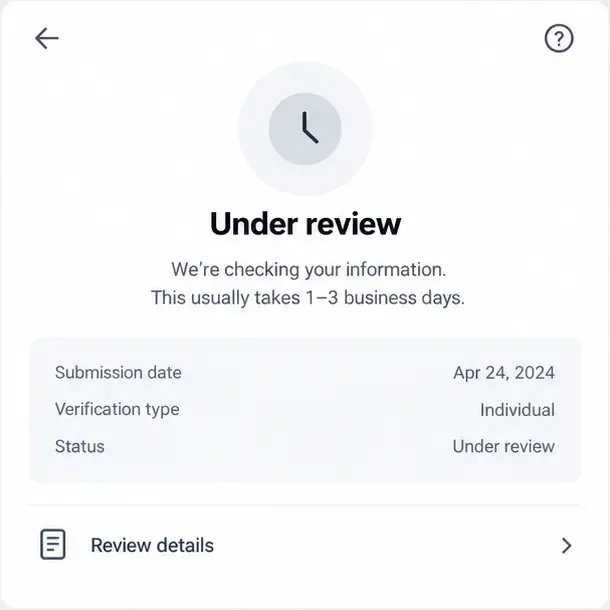
A conceptual verification status screen shows an under-review result and a “Review details” option; check the platform’s actual status page before resubmitting.
Prepare the identity document correctly
Binance’s current personal-account guide, updated June 5, 2026, describes a flow that asks for the residence, issuing country or region, document type, document images, a liveness check, and confirmation of personal information. It says to upload both sides of an ID card when applicable, enable camera access, use sufficient lighting, avoid hats, glasses, and filters, and keep the information consistent with the ID.
Bybit’s failure guide lists blurred, cropped, masked, damaged, black-and-white, edited, screenshot, and incomplete documents as common causes. It also says that all four corners should be visible and that important pages or both sides must be included when required. Bybit’s individual KYC guide separates proof of identity from proof of address: standard verification uses identity assessment and proof of identity, while advanced verification may require proof of address.
OKX gives similar guidance. Its identity-document and selfie guide, updated August 25, 2026, says the document should be government-issued, valid, legible, show the full name and date of birth, and be photographed in color as the original document rather than a screenshot, photocopy, or another photo. It also requires the document corners to be visible. Proof-of-address rules are regional: OKX’s individual-account page says the document should generally be issued within six months for EEA users and within three months for other regions, but the prompt shown in your account takes priority.
What is verified: all three platforms publicly emphasize document clarity, validity, correct personal details, and a visible face or document image. What depends on the platform and region: accepted document types, whether a back side is required, language support, and the age of a proof-of-address document. What is not known: an image that looks clear to you may still fail automated checks because of glare, compression, or security features that the system cannot read.
Do this now: place the original document on a flat surface, use even light without flash glare, clean the camera lens, photograph the complete document in color, and check every field at full size before pressing Submit.
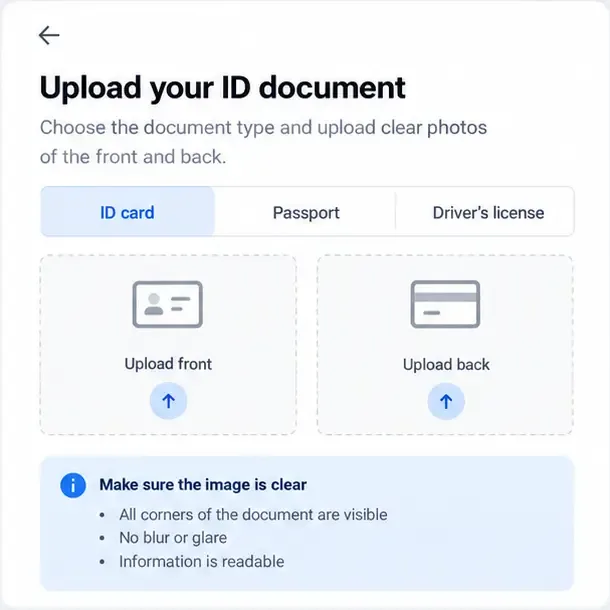
A conceptual upload screen highlights front and back document areas, visible corners, readable information, and the need to avoid blur or glare.
Match the account data exactly
A common misunderstanding is that a familiar nickname, a translated name, or a recently changed address is harmless. Verification compares the account profile with the document and, where required, with a face scan or address document. Binance says the personal information entered during the process must be consistent with the identity document and cannot be changed after confirmation in that step. Bybit lists an incorrect, missing, or unreadable full name or date of birth as a cause of an invalid ID. OKX also lists profile-name and date-of-birth mismatches among failure scenarios.
This does not mean you should invent a different spelling to make a form pass. Use the legal details requested by the platform and follow its official update process if your name, nationality, residence, or document has genuinely changed. Binance’s guide includes an Update Identity route for eligible changes. OKX’s Europe help page says updates can cover cases such as an expired document or a name change, but it also warns that identity verification itself cannot simply be changed to another person.
What is verified: the account holder must submit their own identity and the profile information must correspond to the document. What depends on the circumstances: whether a name or country correction is available in your region, and whether the exchange asks for a new review. What is not known: the exchange may apply additional internal checks that are not disclosed in the public help article.
Do this now: compare the profile character by character with the document, including middle names, name order, date format, nationality, and country of residence. If the information is genuinely outdated, use “Update identity” or “Edit info” inside the official account area instead of opening a second account.
Redo the face or liveness check in a controlled setting
A liveness check is a camera-based step intended to show that a real person is present, rather than a still image or a different person. Binance instructs users to keep the face centered, visible, and well lit, without hats, glasses, or filters. Bybit says only one person should appear in the frame and recommends avoiding shaking or dark environments. OKX gives similar instructions: keep the whole face in the frame, remove obstructions, center the face, and follow the on-screen movements.
Technical causes are also possible. OKX specifically recommends checking the network connection and camera permissions, updating the app, and reinstalling it if photo upload still fails. Bybit’s current KYC guide says that if the facial-recognition page cannot be reached after several attempts, the user can wait 30 minutes and then contact support if the issue remains. Binance advises users not to refresh the browser or quit the app during the process.
What is verified: camera permission, stable connectivity, good lighting, a centered face, and following the movement prompts are official troubleshooting steps. What depends on the case: whether the failure is caused by the phone, browser, camera, document, or a biometric mismatch. What is not known: reinstalling an app cannot fix an identity, age, region, or duplicate-account policy issue.
Do this now: grant camera access, close other camera apps, use a stable connection, remove face coverings and filters, keep one person in frame, and complete one careful attempt. If the exchange gives a waiting period, follow it rather than submitting repeatedly.
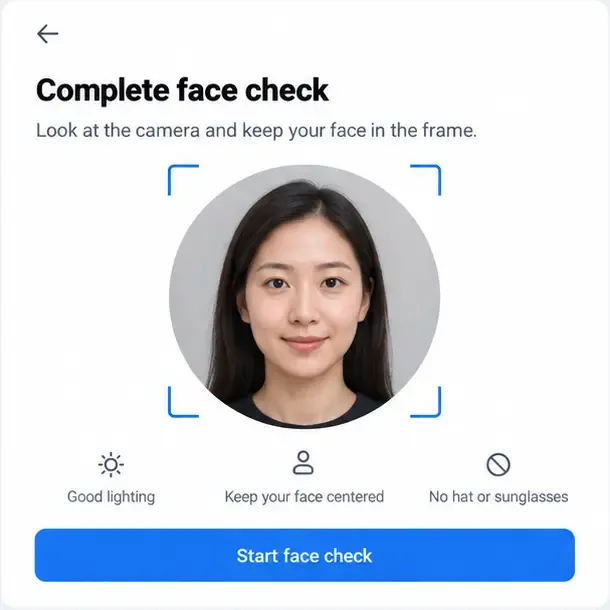
A conceptual face-check screen shows one centered face, even lighting, and unobstructed facial features—the conditions commonly required for a liveness scan.
Platform-specific fixes
Binance: check Identification, then use the official appeal route
On Binance, the official guide directs website users to the profile icon, Account, Identification, and Get Verified. In the app, the route is Account Center, Unverified, or the Verify Now prompt. The guide says manual upload availability depends on the country, so do not assume that every account will show the same option.
Binance says submitted documents are usually reviewed within 48 hours, although some cases take longer. If the rejection is caused by a changed name, expired document, changed nationality, or another listed update reason, use Update Identity. If the notice is a rejection rather than a simple missing document, use the Help Center’s Appeal KYC Rejection option. Do not submit another person’s ID: Binance explicitly says an account cannot be transferred to another person or verified with someone else’s document.
Action: check the Identification page for the exact status, correct only the field or document that is actually wrong, and use Binance Support if the self-service route does not match your case.
Bybit: read the email and avoid rapid repeated attempts
Bybit’s official failure guide groups errors into document problems, face-recognition problems, terms-related issues, restricted countries, and age requirements. It says that more than five denied submissions within 24 hours can trigger a further 24-hour wait. The same guide says the latest result should arrive by email within 15–20 minutes after resubmission, although platform processing can vary.
Bybit also states that one person may verify only one account with the same identity information. If the problem is proof of address, its guide lists utility bills, official bank statements, and government-issued residential proof, and says the document must be dated within the last three months. These are platform-specific rules, not universal requirements for every exchange.
Action: save the rejection email, fix the specific item it identifies, wait if you have reached the attempt limit, and submit a support case through Bybit’s Help Center if the reason appears incorrect.
OKX: check the region, app version, and identity status
OKX’s current failure guide lists camera access, app upload errors, face mismatch, duplicate identity, invalid or expired documents, missing pages, unsupported language, age, and unsupported countries or regions as possible causes. Its individual-account guide directs website users to Profile, Verification, and Individual account, while app users go to Menu, Account settings, and Identity verification.
OKX says one set of identity information cannot be reused to verify multiple accounts. It also warns that regional availability differs and that the information in its help articles may not apply to every customer. This is why a document accepted in one jurisdiction may not be accepted in another, and why an update option may be absent from an account.
Action: update the official OKX app, verify that the selected residence and document type are accurate, follow the regional document instructions shown in your account, and use OKX Support if the failure says “information mismatch,” “duplicate identity,” or “country/region not supported.”
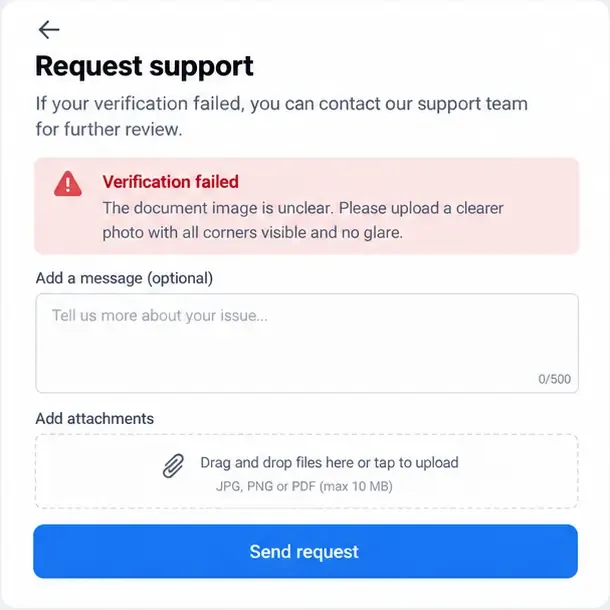
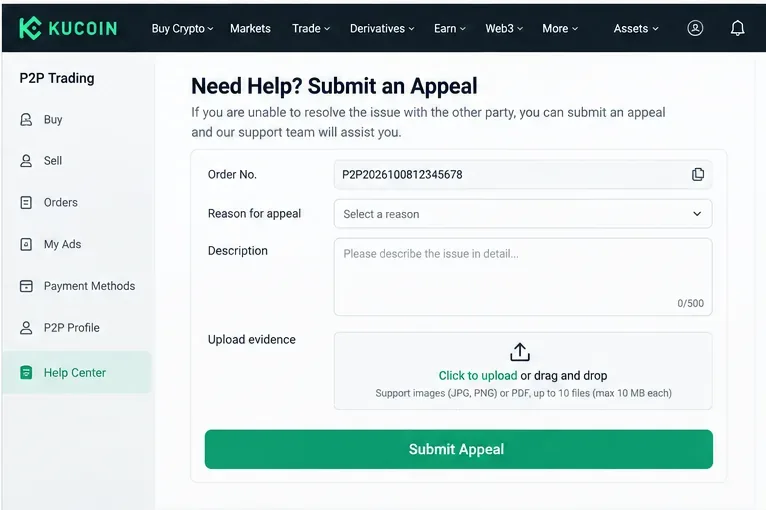
A conceptual support form shows the useful evidence to organize: the failure reason, a short description, relevant attachments, and a request for review.
When a better photo will not solve the problem
Some rejection categories are policy decisions rather than image-quality errors. Examples include an unsupported country, being below the platform’s minimum age, an identity already verified on another account, or a request to change the verified person. In these cases, repeatedly uploading the same document may increase delays or trigger attempt limits. No public guide can guarantee that support will reverse a risk or eligibility decision.
What is verified: Binance, Bybit, and OKX each publish restrictions involving account ownership or duplicate identity, and Bybit and OKX also list age and regional limitations. What depends on the platform: the available appeal path and whether an update is allowed. What is not known: a support agent may not disclose every internal risk signal.
Do this now: stop creating replacement accounts, keep the account that belongs to you, and submit a concise appeal through the exchange’s authenticated support channel. Include the UID or account email only in the official form, the exact error, the date, and what you already corrected. Never share a password, seed phrase, 2FA code, or remote-access permission.
Final checklist before you try again
The error reason is saved and understood.
The document is valid, original, in color, complete, and readable.
All required pages and sides are visible without glare or cropping.
The profile name, birth date, nationality, residence, and document details match.
The camera permission and network connection work.
Only the account owner is in the face frame, with no filter or obstruction.
You have respected any waiting period or attempt limit.
Any appeal is submitted only through the official exchange app or help center.
Scope note: this is general troubleshooting information, not a promise that an exchange will approve an account or restore a restricted service. Availability, verification levels, accepted documents, review times, and appeal options may differ by country, account type, and regulatory status.