Home
» Knowledge
»
Network Congestion Issues: Why Your Crypto Transfer Is Pending and What to Do
Network Congestion Issues: Why Your Crypto Transfer Is Pending and What to Do
A pending crypto transfer is not automatically a lost transfer. The first useful action is to find the transaction hash and check it on the correct blockchain explorer. If the transaction is visible there as unconfirmed, the network may still be processing it. If there is no hash at all, the exchange or wallet may not have broadcast the transfer yet, so network congestion may not be the real problem.
This distinction determines what to do next. Waiting can be sensible when the transaction is already in the mempool and the fee is competitive. A network-specific replacement may help on some chains. Sending the same payment again without checking the first transaction can create a second payment or a nonce conflict. The safest approach is evidence first, intervention second.
Information checked against official protocol and wallet documentation on September 16, 2026. Wallet interfaces, exchange policies, fee markets, and confirmation requirements can change.
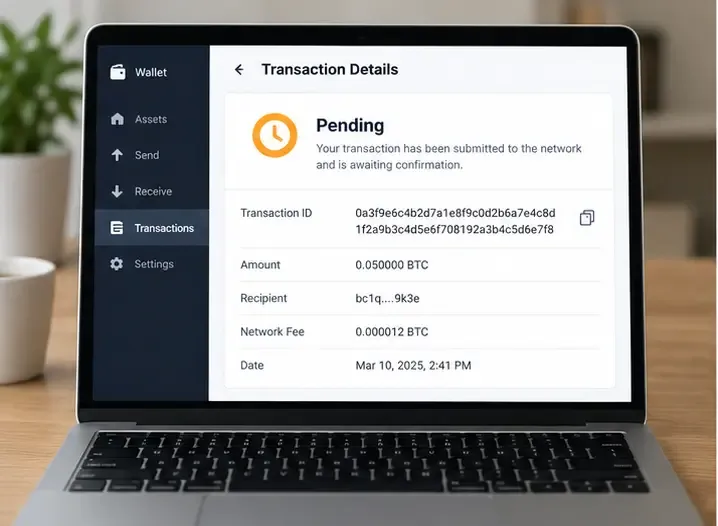
A generic wallet transaction view shows a pending status and a transaction identifier. The identifier is the starting point for checking whether a transfer reached the network.
What does “pending” mean in a crypto transfer?
Pending is a user-interface label, not a universal blockchain status. It usually means that the transfer has not reached the level of confirmation required by the wallet, exchange, or recipient. The exact meaning depends on where you see it.
Pending locally: The wallet has prepared or signed the transaction, but the transaction may not have reached a node or the wider network. A connection problem, rejected request, or wallet synchronization issue can produce this state.
Broadcast but unconfirmed: The transaction has a hash and appears in a mempool or explorer, but it has not been included in a block or otherwise committed by the network.
Confirmed on-chain: The transaction has been included and has the required confirmations. The receiving service may still need to credit the account, especially if it waits for more confirmations.
Pending at an exchange: The exchange may still be preparing, reviewing, or broadcasting the withdrawal. An exchange status alone does not prove that a blockchain transaction exists.
For Ethereum, a transaction includes a nonce, which is a sequential counter for the sending account. A lower-numbered transaction that remains pending can hold later transactions in that account’s queue. For Bitcoin, an unconfirmed transaction waits in a mempool and competes with other transactions for block space. On Solana, a transaction uses a recent blockhash and can expire if it is not committed in time. These are different mechanisms, so a generic “just raise the fee” answer does not fit every network.
Why does network congestion make transfers wait?
Blockchains have limited capacity per block, slot, or processing interval. When more transactions arrive than can be included immediately, nodes hold some transactions in a temporary queue. A fee market then influences which transactions are selected first, although each network implements that market differently.
On Ethereum, the protocol separates the base fee from the priority fee, which acts as a tip to validators. Ethereum’s documentation explains that offering too little can make a transaction execute late or not at all, while offering too much can waste ETH. During heavy demand, a transaction submitted with an outdated fee can become less attractive before it is included.
Bitcoin commonly expresses the fee rate in satoshis per virtual byte. Transactions with lower fee rates can remain unconfirmed when the mempool contains higher-paying transactions. Bitcoin Core’s opt-in Replace-by-Fee system allows a transaction marked as replaceable to be updated with a higher-fee version before confirmation. That option is not identical to a normal second payment, and it is not available for every transaction or wallet workflow.
Solana has a different failure mode. Its transactions include a recent blockhash that becomes too old for processing. The Solana documentation says that uncommitted transactions expire after the blockhash is no longer recent enough; a transaction that expires has to be treated differently from one that is still pending on the cluster.
Start with evidence: a quick diagnosis
Before changing a fee, repeating a transfer, or contacting support, record the following information:
The asset and the exact network selected, such as Ethereum, Base, Arbitrum, BNB Smart Chain, Bitcoin, or Solana.
The transaction hash, transaction ID, or signature, if the service provides one.
The sending address, receiving address, amount, and time shown in the wallet.
The status shown by a blockchain explorer on that network, including confirmations if available.
The fee or fee rate used, and any nonce or replacement information shown by the wallet.
Never paste a seed phrase or private key into an explorer, support form, chat, or “recovery” website. A transaction hash and public address are different from wallet credentials. You can share the public transaction details with legitimate support without disclosing control of the wallet.
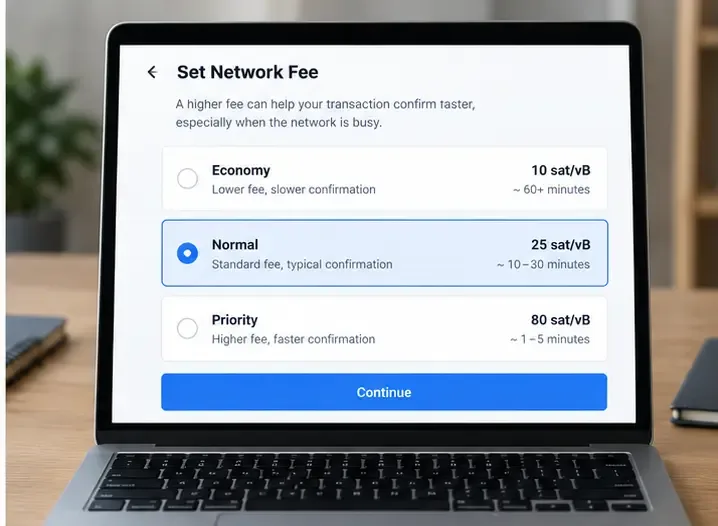
A generic fee-selection screen illustrates the tradeoff between a lower fee and a higher priority fee. The time estimates shown are illustrative, not a promise from any network.
Use the transaction hash to decide whether to wait
If the hash appears on the correct explorer and the transaction is unconfirmed, first compare its fee with current network conditions. A brief delay during a busy period may resolve without intervention. The result you are looking for is not a spinning icon in the wallet; it is inclusion in a block or a confirmed status on the explorer.
Do not rely on a fixed time estimate. Confirmation speed depends on the network, transaction type, fee settings, node propagation, and the policy of the recipient. A simple native-coin transfer and a smart-contract interaction may require different fees and execution resources. A bridge, swap, or token transfer can also involve additional contract or service steps after the first transaction confirms.
If the wallet shows pending but the explorer shows a confirmed transaction, the wallet interface may be stale. Refreshing the application or checking the transaction details again can help, but do not submit a replacement merely because the local label has not updated. If the explorer shows a failed transaction, the payment did not complete as intended; the fee may still have been spent on networks where execution began before failure.
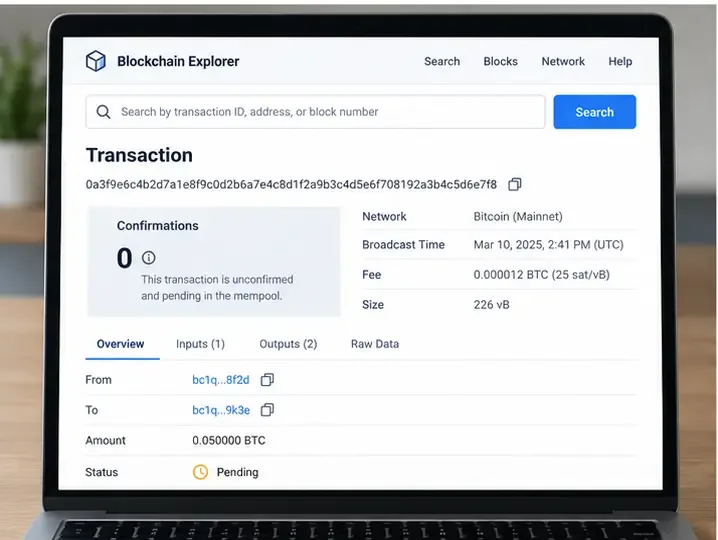
A generic explorer page shows zero confirmations and a transaction waiting in a mempool. This is the evidence that separates an unconfirmed network transaction from a transfer that has not been broadcast.
When can you speed up or cancel an Ethereum transaction?
Ethereum-compatible wallets may offer Speed up or Cancel while a transaction is still pending. MetaMask’s current help documentation describes speed-up as resubmitting the same transaction with a higher gas fee and the same nonce. That can make the replacement more attractive to validators, but it increases what you spend on gas. It is not a guaranteed instant-confirmation button.
Cancellation is also a replacement mechanism, not a command that reaches backward and erases a transaction from the blockchain. The replacement normally uses the same nonce and a fee high enough to be selected before the original. If the account has several queued transactions, an older pending nonce may need attention first. A later transaction cannot always bypass an earlier one.
Use the wallet’s documented feature when possible. Manual nonce editing is an advanced operation: the network, wallet, and fee fields must be compatible, and an incorrect replacement can leave the original pending. Check the transaction on an explorer after broadcasting the replacement. Stop if the original has already been confirmed, because a confirmed transaction cannot be canceled through the wallet.
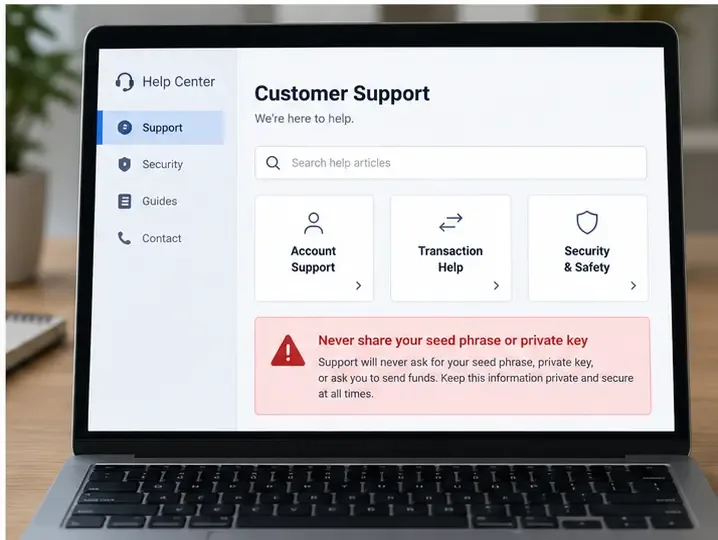
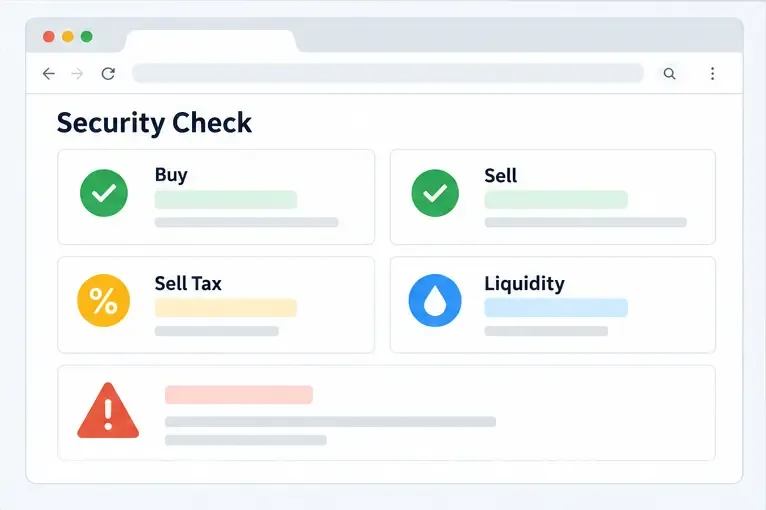
A generic support page highlights the basic security rule: legitimate support does not need a seed phrase or private key to investigate a pending transfer.
What is different on Bitcoin?
For Bitcoin, check the transaction ID and fee rate before considering any action. If the transaction is unconfirmed, the receiving party should not treat it as final merely because a wallet displays it as sent. Bitcoin Core explains that unconfirmed transactions remain subject to the uncertainty of network propagation until one version is confirmed in a valid block.
If the transaction was marked replaceable and your wallet supports opt-in Replace-by-Fee, you may be able to create a replacement with a higher fee. The purpose is to update the waiting transaction, not to send the recipient a second independent payment. Whether the feature works depends on the original transaction, wallet implementation, and current relay conditions.
If RBF is not available, waiting may be the only practical option from the sending wallet. Do not import your seed into an unknown “accelerator” or pay a stranger who claims to unlock the funds. A third-party service cannot override Bitcoin’s confirmation rules simply because it asks for an extra payment.
What if the transfer is on Solana?
On Solana, use the transaction signature and query the correct cluster or explorer. A successful RPC response only means that the node accepted the submission request; Solana’s documentation specifically notes that it does not guarantee that the transaction was processed or confirmed. Confirmation status must be checked separately.
If the recent blockhash expires and the signature is not confirmed, the transaction should not later become valid merely because the wallet still displays an old pending notification. Solana’s documentation says that an expired transaction can be tried again because the previous one will not be processed. Even so, verify the explorer status first. A slow wallet or RPC endpoint can display confusing information while the network has already processed the signature.
What if an exchange says “pending” but there is no hash?
Do not assume network congestion. An exchange can show a withdrawal as pending before it broadcasts an on-chain transaction. The reason may relate to its internal queue, maintenance, account review, risk controls, or a temporary service issue; the exact cause is provider-specific and cannot be inferred from the word pending alone.
Check the withdrawal detail for a transaction hash. If there is none, contact the exchange through its official help center and ask whether the withdrawal has been broadcast, which network was used, and what processing condition remains. If there is a hash, move the investigation to the appropriate explorer. This prevents you from opening a network-congestion case for a transfer that is still inside the exchange.
After a blockchain transfer has enough confirmations but the destination exchange has not credited it, verify the deposit network, token contract where relevant, memo or tag requirements, and the recipient address. A confirmed transaction can still be sent on the wrong network for the destination service. Recovery may be limited or unavailable, so the receiving provider is the right place to ask about supported recovery procedures.
Wait, replace, or contact support?
Evidence
Reasonable next step
Limit
No hash from an exchange or wallet
Ask the sending service whether it has broadcast the transaction
You cannot diagnose a blockchain mempool from an internal status alone
Hash exists; explorer shows unconfirmed
Compare fee conditions and wait, or use a supported network-specific replacement
A higher fee changes selection odds, not the network’s capacity or transaction contents
Ethereum account has queued transactions
Review the oldest pending nonce before sending more transactions
Manual nonce replacement can create further errors if entered incorrectly
Bitcoin transaction is replaceable
Use the wallet’s RBF feature if the urgency justifies a higher fee
RBF is not available for every transaction and an unconfirmed payment is not final
Solana signature has expired with no confirmation
Confirm the old signature is not on-chain, then retry with a fresh transaction
A stale wallet screen can mislead you; check the cluster and explorer first
Explorer shows confirmed but recipient has not credited it
Contact the recipient service with the hash and verify network, token, and memo details
Support may not be able to recover assets sent to an unsupported destination
Common mistakes that make a pending transfer worse
Resending immediately: The first transaction may still confirm, creating a duplicate payment.
Raising a fee without identifying the chain: Ethereum gas, Bitcoin fee rate, and Solana priority settings are not interchangeable.
Using the wrong explorer: A transaction on an EVM sidechain may not appear on Ethereum mainnet, even if the address format looks similar.
Trusting an estimated time: Wallet estimates are models based on changing network conditions, not guarantees.
Sharing secret credentials: A pending transaction does not justify sharing a seed phrase, private key, password, or remote-access code.
Calling a confirmed transfer reversible: If the transaction is confirmed, the wallet cannot simply undo it. Recovery, when possible, usually depends on the recipient or service.
How do you know the problem is resolved?
Use the explorer as the primary technical signal and the receiving service as the final crediting signal. For a self-custody wallet, look for a confirmed or finalized status appropriate to the chain and verify the balance or token record. For an exchange deposit, wait for the exchange’s required confirmations and check that the asset and network match its deposit instructions.
If you replaced a transaction, confirm which hash succeeded and record the replacement hash. If you canceled one, verify that the original is no longer the transaction that can be included. If a wallet still shows the old item after the explorer confirms a different result, the remaining problem may be local display state rather than a network failure.
Bottom line
Network congestion can leave a crypto transfer pending because block space is limited and fee conditions change. But congestion is only one possible cause. The most reliable workflow is to identify the network, locate the transaction hash, compare the explorer status with the wallet or exchange status, and then choose between waiting, a supported replacement, or provider support. The correct action depends on the chain and the evidence. No fee increase guarantees success, and no legitimate helper needs your seed phrase or private key.